The Property and Flexible-Space Sales Operating System

Give buyers one clear view of the property before the next conversation.

SiteSee keeps spaces, layouts, planning details and next actions together in one interactive property experience. Buyers can evaluate fit from anywhere, stakeholders can review the same property story and your team can continue from shared understanding.

One SiteSee property source connecting buyer, planning and team decisions
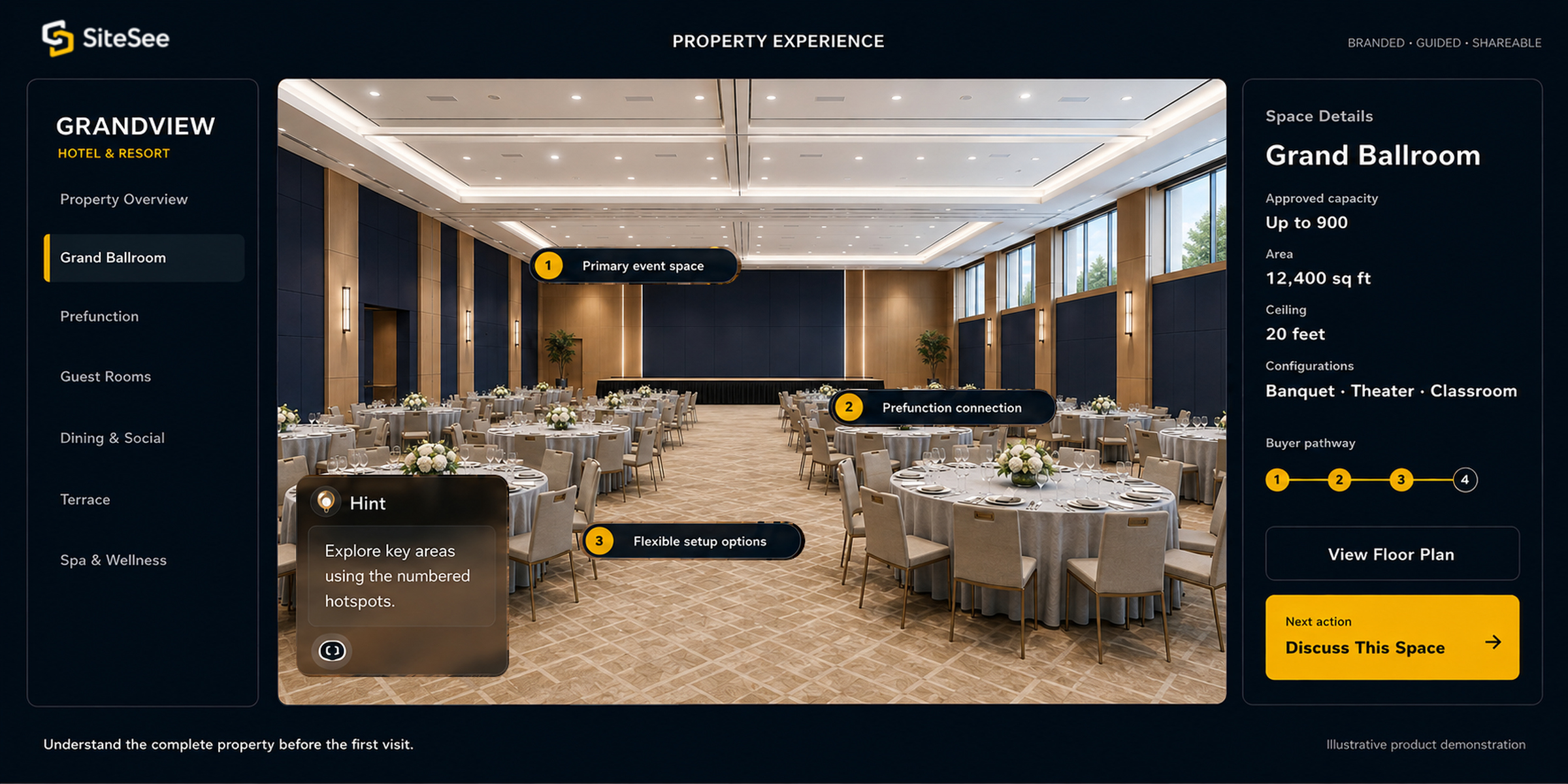
SiteSee buyer-property workspace Explore the property Review planning details Take the next step
For buyersDecide what deserves a closer look.

See the spaces and details behind the first impression.

For plannersCheck whether the property may fit.

Review rooms, routes, capacities and supporting spaces together.

For sales teamsBegin with the buyer’s real questions.

Continue from the spaces and information already reviewed.

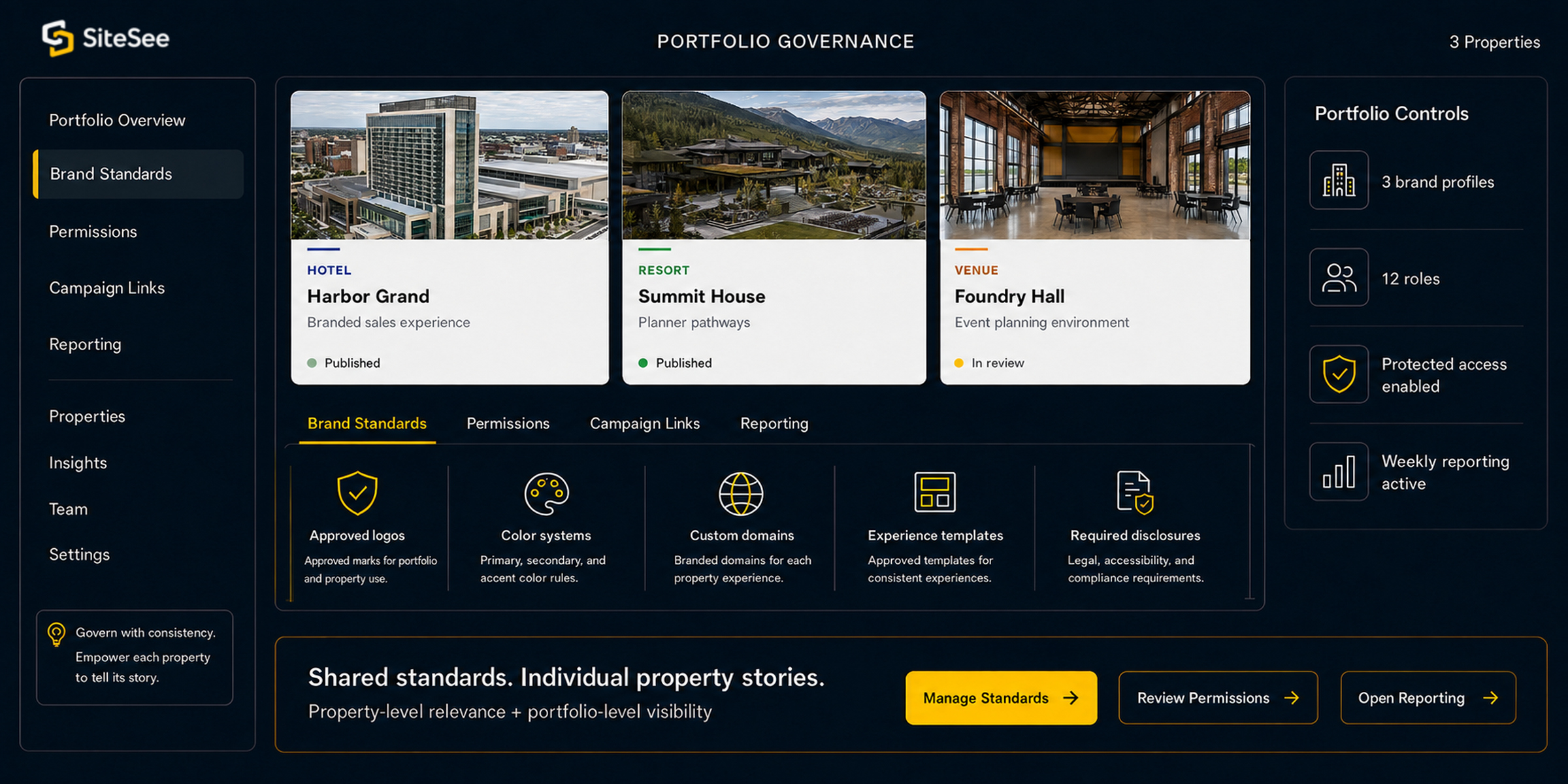
For leadershipSet shared standards while local teams stay in control.

Keep each property accurate, on brand and locally relevant.

Where momentum gets lost

Photos, plans, files and email threads make buyers assemble the answer themselves.

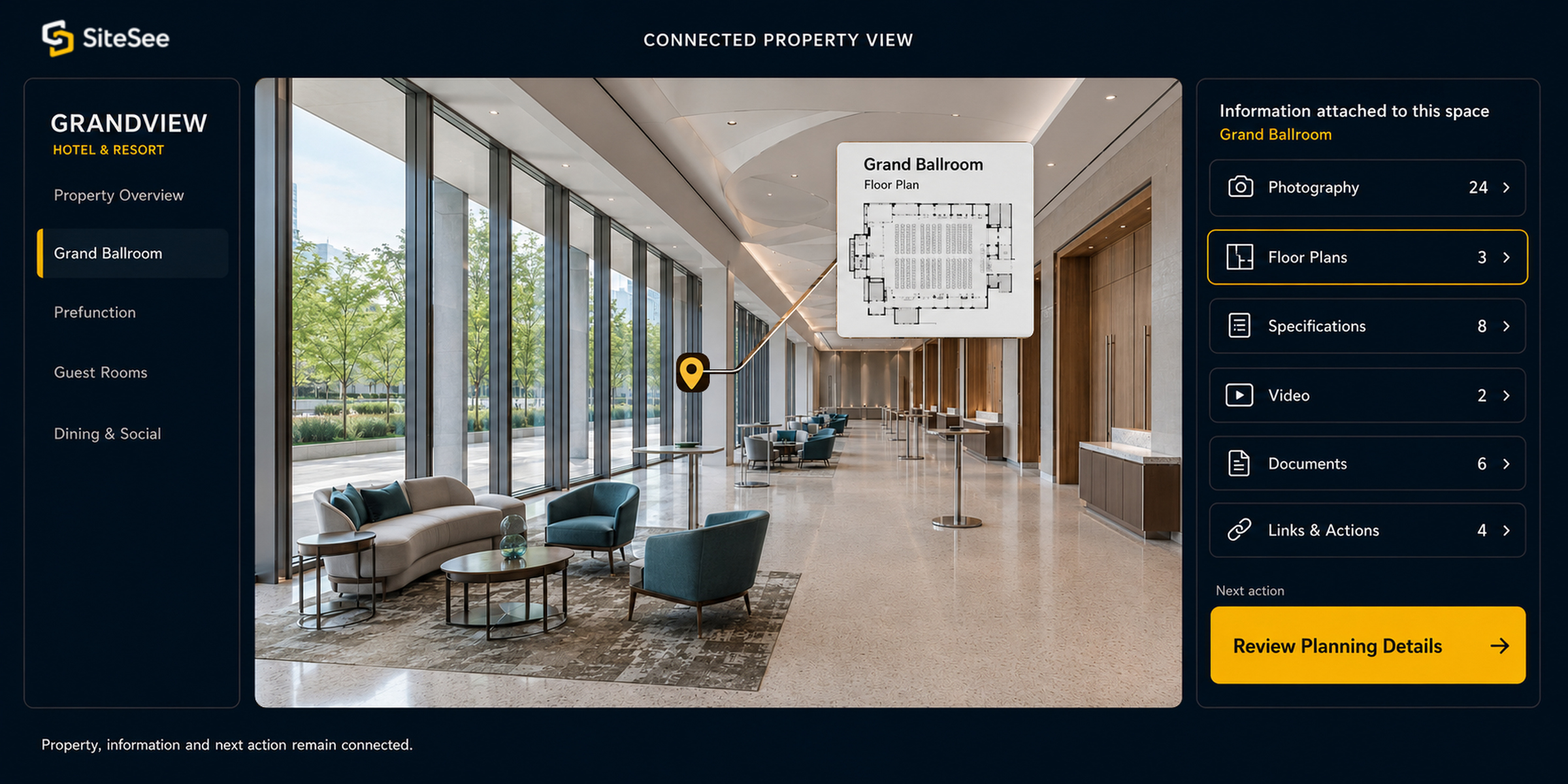
A buyer sees photography in one place, opens floor plans somewhere else and searches messages for the details that explain them. When another person joins the decision, the explanation often starts again.

SiteSee keeps the property, its supporting information and the next step together in one shared view.

One property. Six practical uses.

Start with the question the buyer or property team needs answered.

Use only the capabilities needed for that decision or task.

01Shortlist the Property

Help buyers decide whether the property belongs on their shortlist.

Let them examine the spaces, amenities, and relationships most relevant to their needs before a visit or sales call.

See the Buyer Experience →
02Check Preliminary Fit

Identify possible fit before detailed planning begins.

Keep plans, capacities, preliminary measurements and room connections with the spaces they describe.

Review Planning Tools →
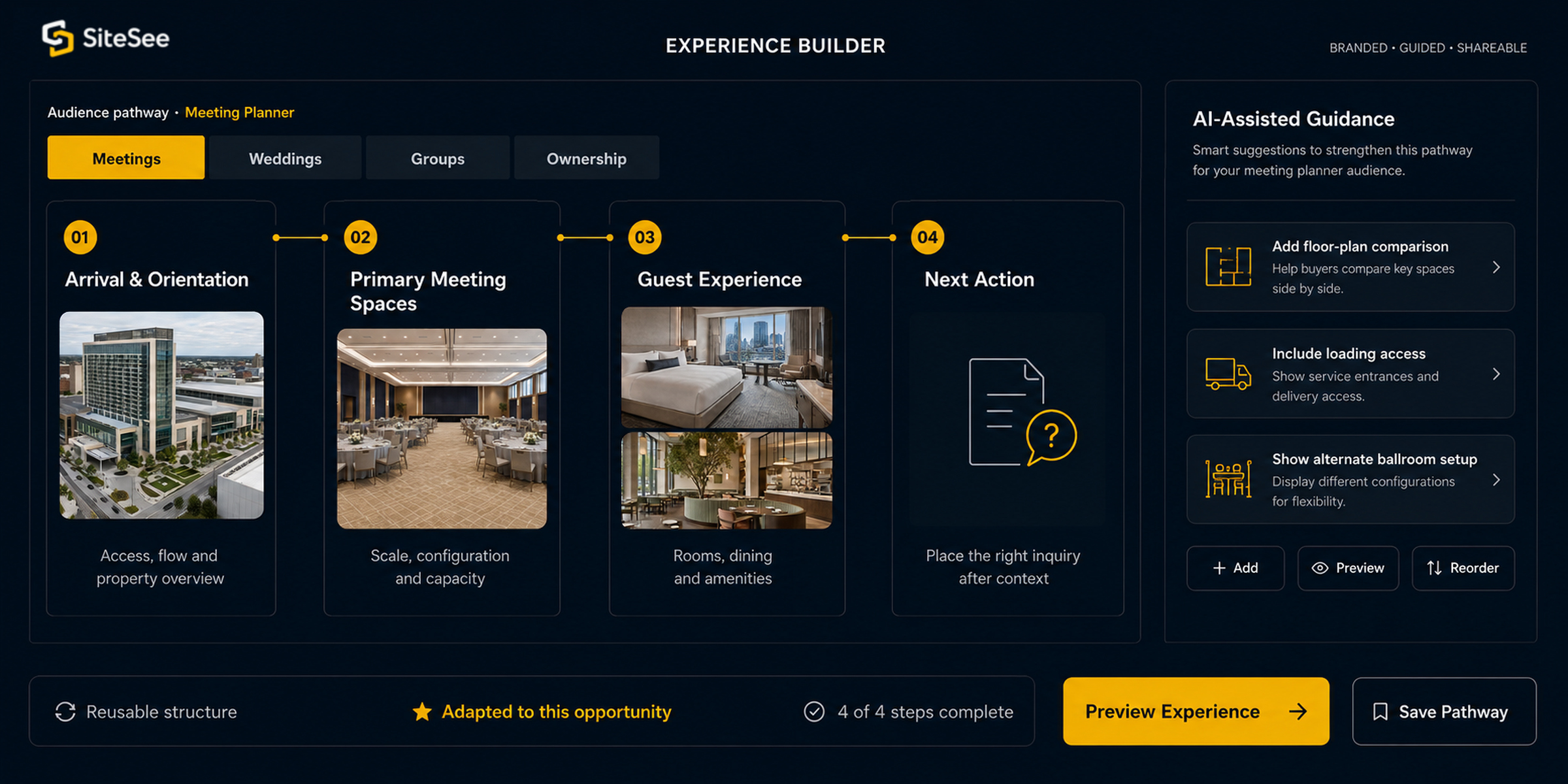
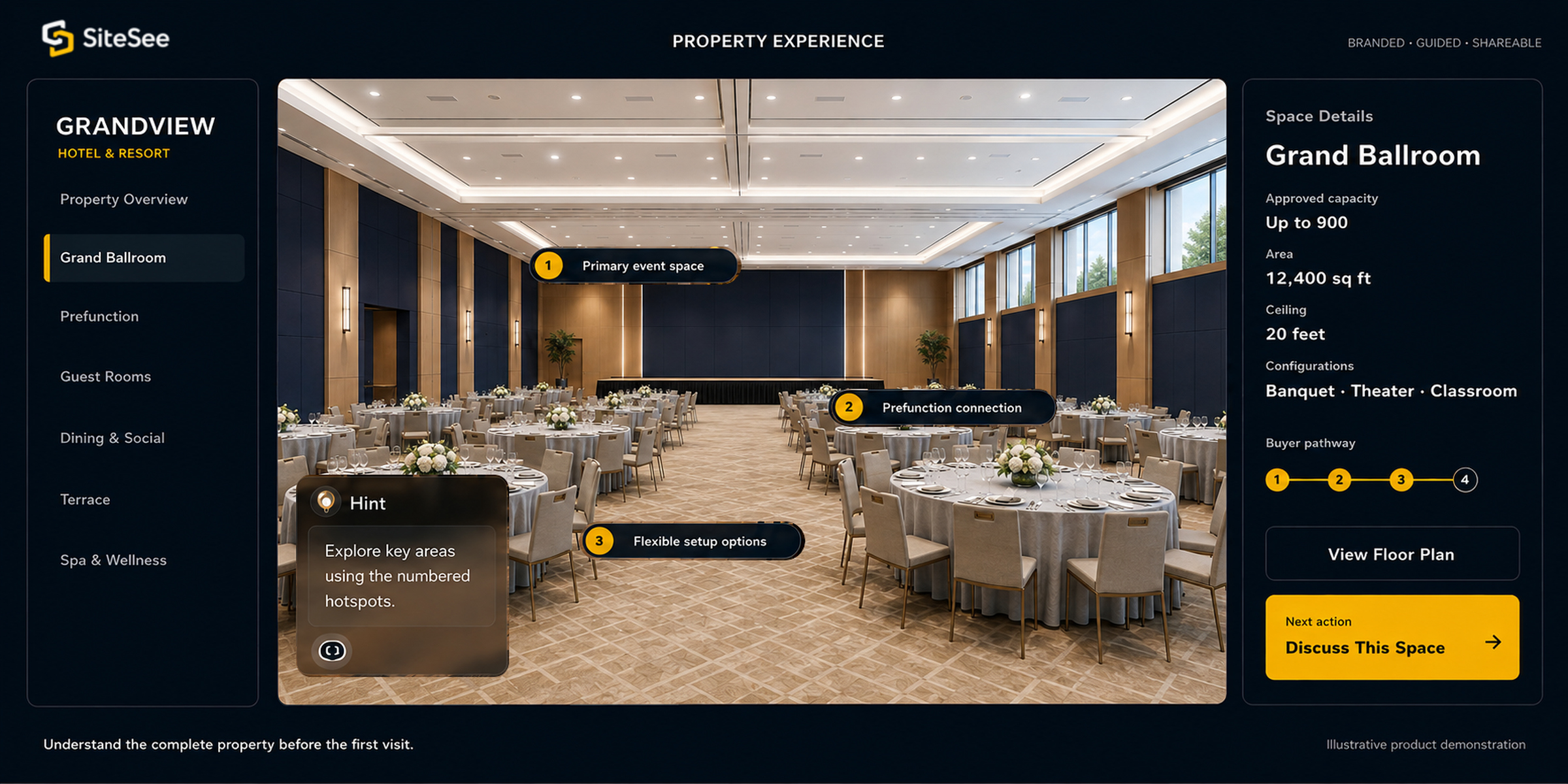
03Guide the Review

Show each buyer the spaces and details relevant to the decision.

Arrange spaces and information around each buyer’s needs.

See Guided Buyer Routes →
04Manage More Than One Property

Set shared rules while local teams keep property information current.

Apply common brand, access and reporting rules without erasing local priorities.

See Portfolio Controls →
05Help Visitors Find Their WayOnsite Experience

Keep useful property information available after arrival.

Make routes and destinations easy to find throughout the property.

See Onsite Navigation →
06Give Staff Location-Specific GuidanceOperational Guidance

Give staff the right instructions for each location.

Make procedures easy to find while controlling access.

See Staff Guidance →
Across the buyer journey

Carry what the buyer has learned into the next conversation.

The questions change from discovery through follow-up, but the property and the information already reviewed remain available.

01

Discover

Open the property from the channel the buyer already uses.

02

Evaluate

Compare spaces and see how they relate.

03

Plan

Review preliminary fit and supporting details.

04

Share

Give everyone involved the same property view.

05

Act

Contact the sales team or begin a request.

06

Follow up

Use what the buyer reviewed to ask a more relevant question.

Different buyers, different routes

Put the most useful spaces and answers first for each buyer.

Different buyers review the same property for different reasons. Change the starting point, order and next action while keeping one reliable source of property information.

Relevant starting point
Useful order
One reliable property source
Clear next action
See Guided Buyer Routes →
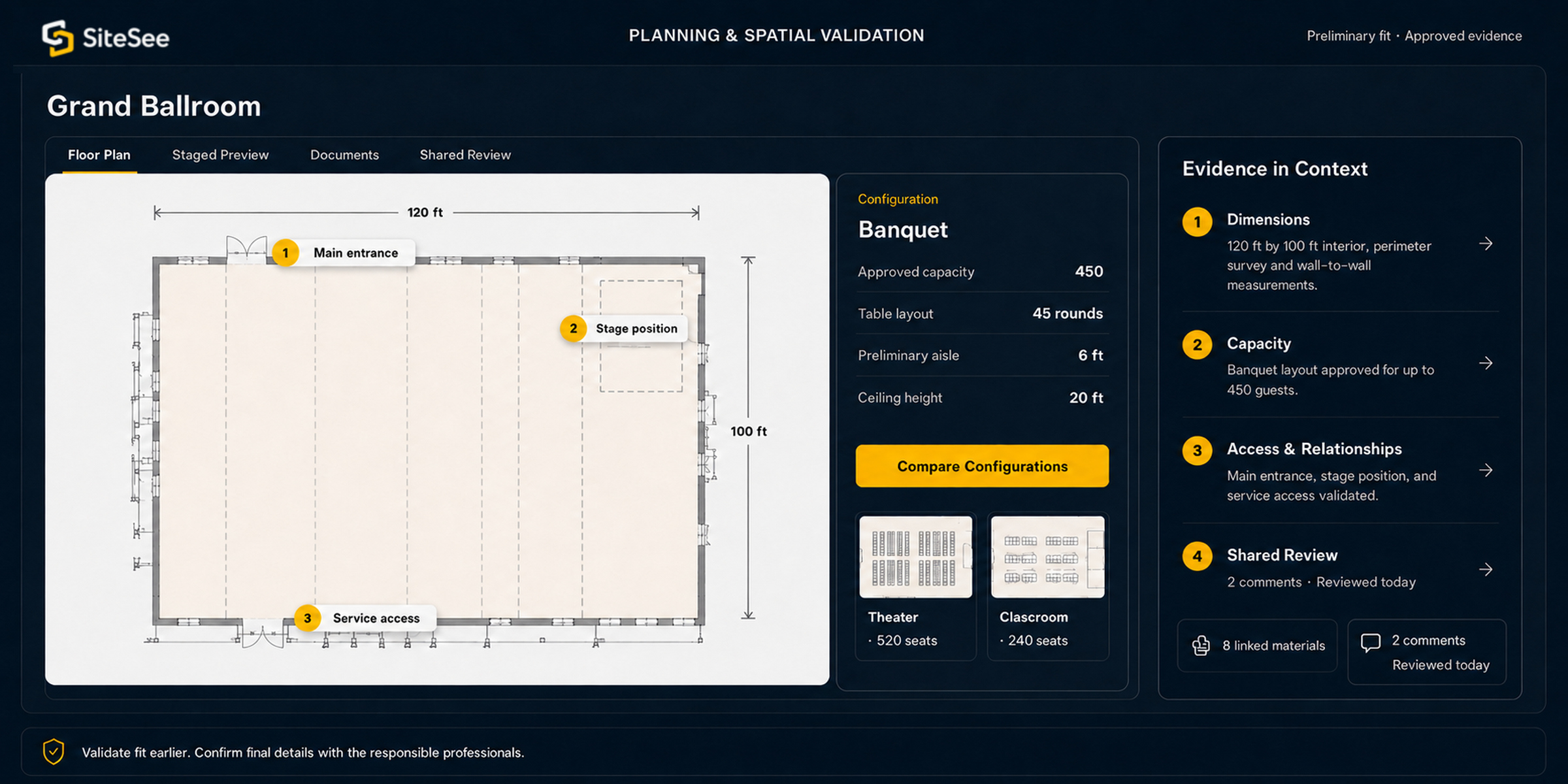
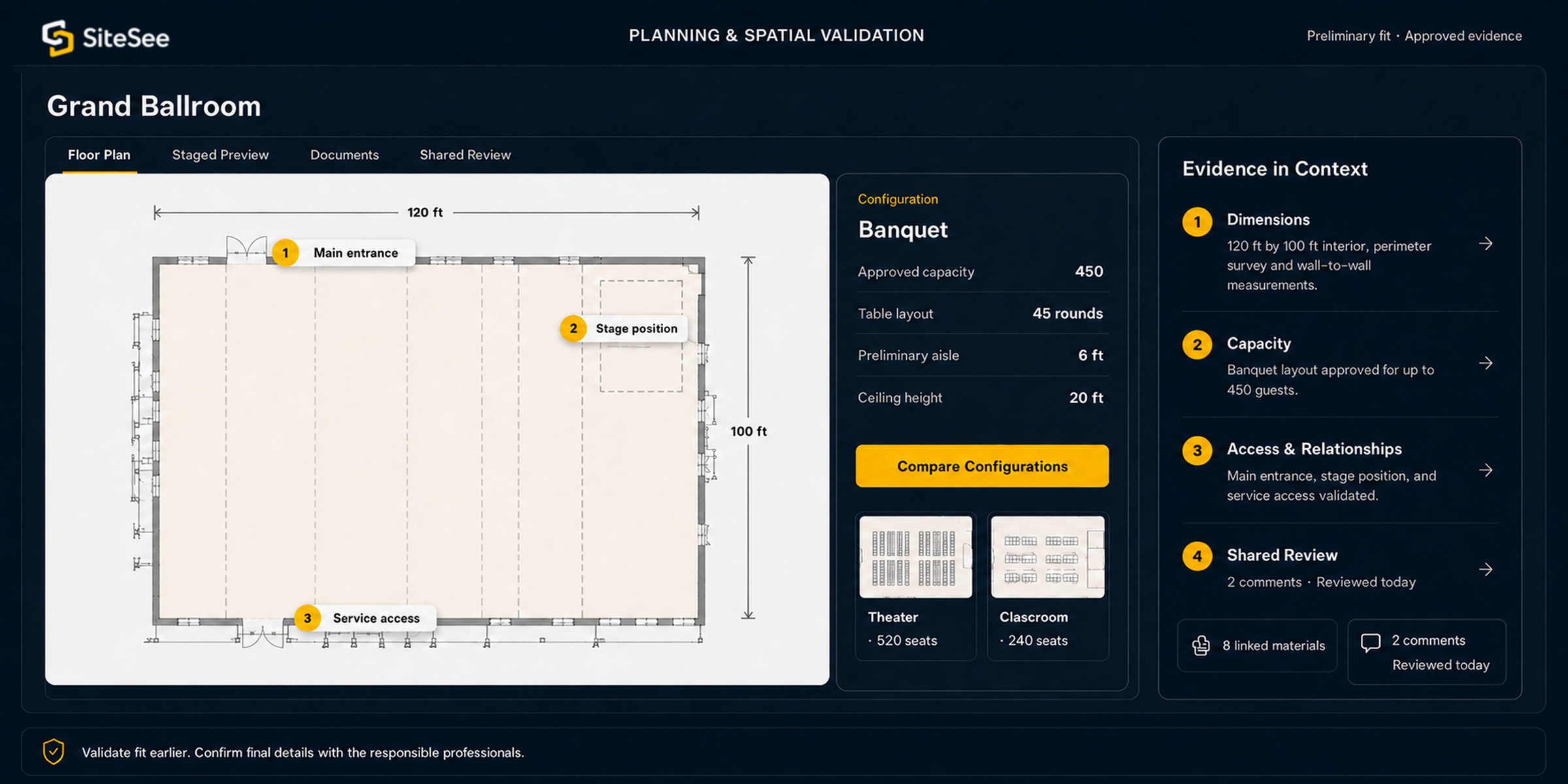
SiteSee planning and spatial validation interface
SiteSee planning and spatial-validation interface

Use digital measurements and configurations for preliminary evaluation and collaboration. Confirm rigging, capacity, accessibility, life-safety, and production decisions against approved plans and qualified professional guidance.

Planning in spatial context

Help planners identify which spaces deserve detailed review.

Place floor plans, preliminary measurements, capacities and room relationships beside the spaces they describe. Planners can compare likely options before requesting formal confirmation.

Floor plans and preliminary measurements
Room capacities and configurations
Spatial relationships and routes
Professional validation where required
Review Planning Tools →
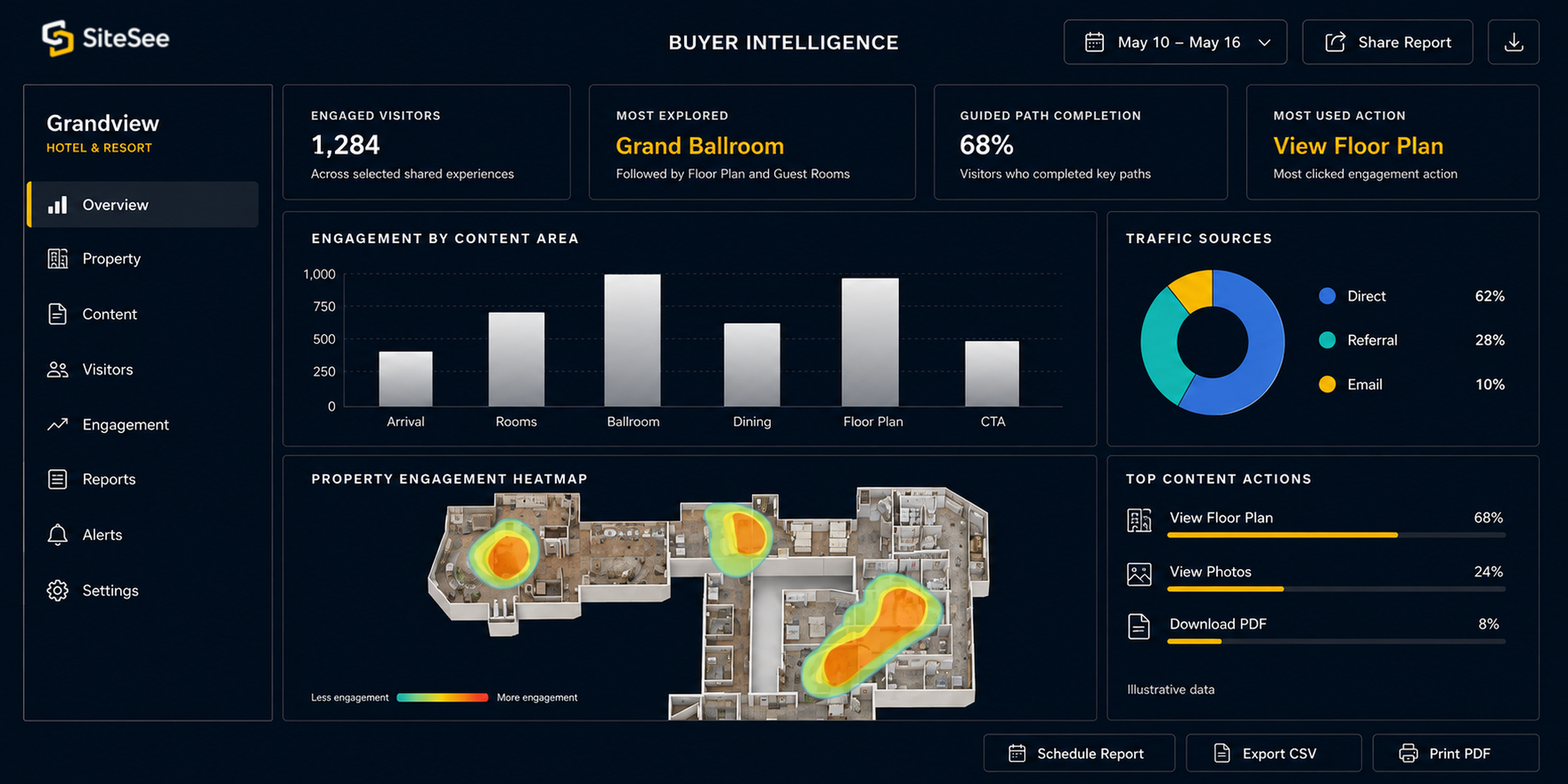
Engagement analytics

Prepare the next conversation around what was actually reviewed.

See which entry points, spaces, content and actions buyers used. Activity does not reveal intent, but it can guide a more relevant follow-up question.

Entry points and traffic sources
Spaces and content viewed
Pathways and next actions
Activity reviewed before follow-up
See Engagement Analytics →
Shared standards. Local teams stay in control.

Set the rules once without making every property sell the same way.

Let local teams maintain property facts and buyer routes while leadership sets brand, access, publishing and reporting rules.

Brand and publishing standards
Access profiles and permissions
Local content management
Distribution and reporting
See Portfolio Controls →
A practical starting point

Begin with the question buyers struggle to answer today.

Start with one property, buyer group or sales problem. Expand only when another use has a clear purpose.

01

Buyer review

Start here

Help buyers see the property and decide what to discuss next.

02

Planning and collaboration

Expand when the decision requires it

Add plans, measurements and shared review when buyers or planners need them.

03

Portfolio or onsite use

Add when it solves a clear need

Add shared controls, visitor routes or staff guidance only to solve a clear problem.

Buyer channels

Place the property experience where buyers already look.

Share a link, embed it on your website or connect it to the next action.

Link

Share one property destination.

Use a direct or campaign-specific link.

Embed

Keep the experience on the surrounding page.

Let buyers explore without leaving it.

Next action

Make the next step easy to find.

Connect buyers to the appropriate inquiry or proposal.

Data exchange

Connect verified operational data.

Define the source, owner and update rules.

Accuracy matters: Live property data needs a verified source, named owner and defined update method.
Review Connection Options →
No-Cost Property Experience Audit

Let us find where the property experience loses clarity.

We review how buyers and teams access spaces, details, planning evidence and next steps, then recommend the simplest useful starting point—at no cost and with no obligation.