Discover
Introduce the property through the website, campaigns and audience-specific entry points.
Brand profiles · Embeds · Campaign links
SiteSee gives sales, marketing, event planning, operations and leadership one shared property foundation. Each team sees what helps it move the customer forward without forcing every role into the same workflow.
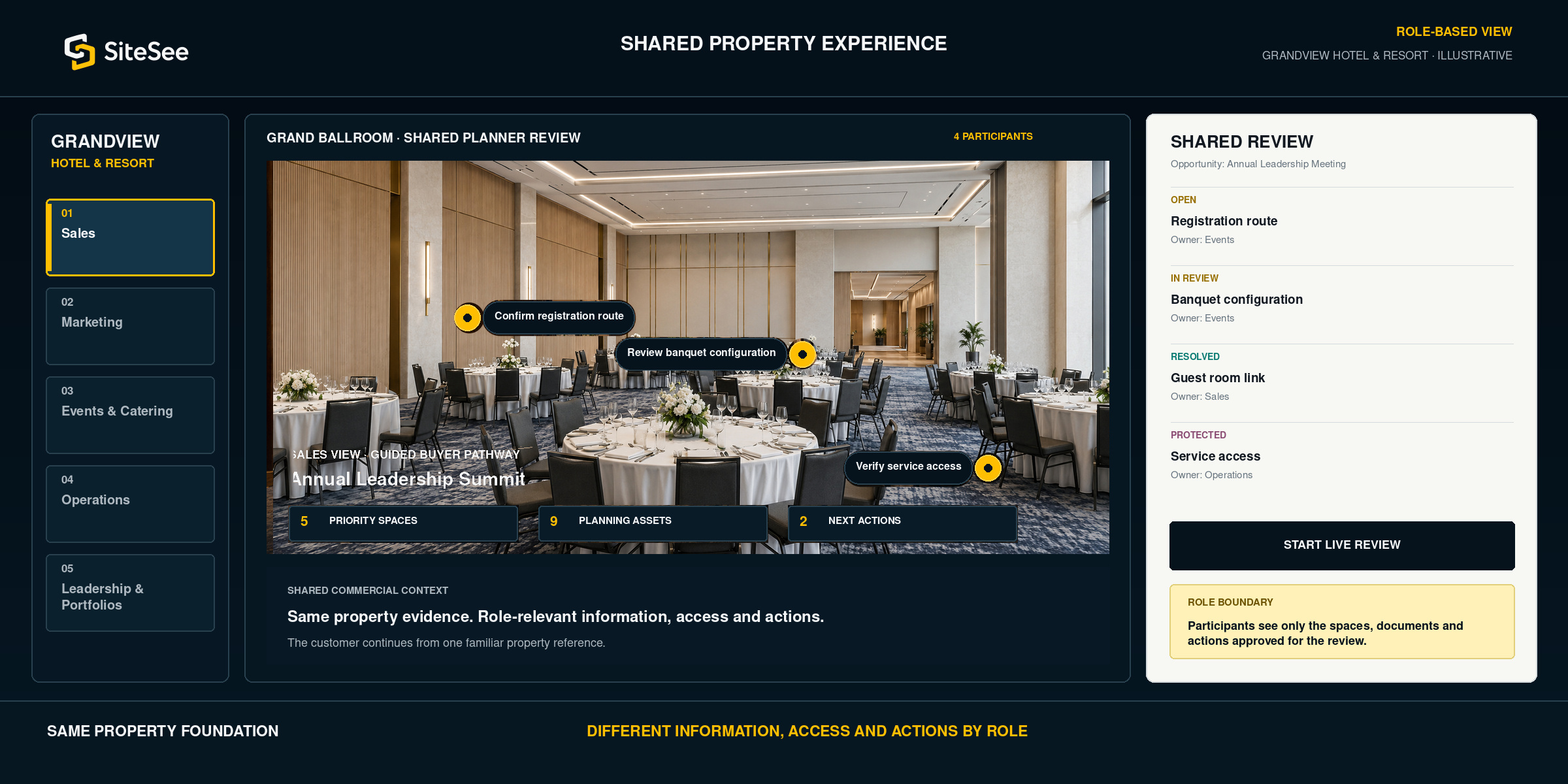
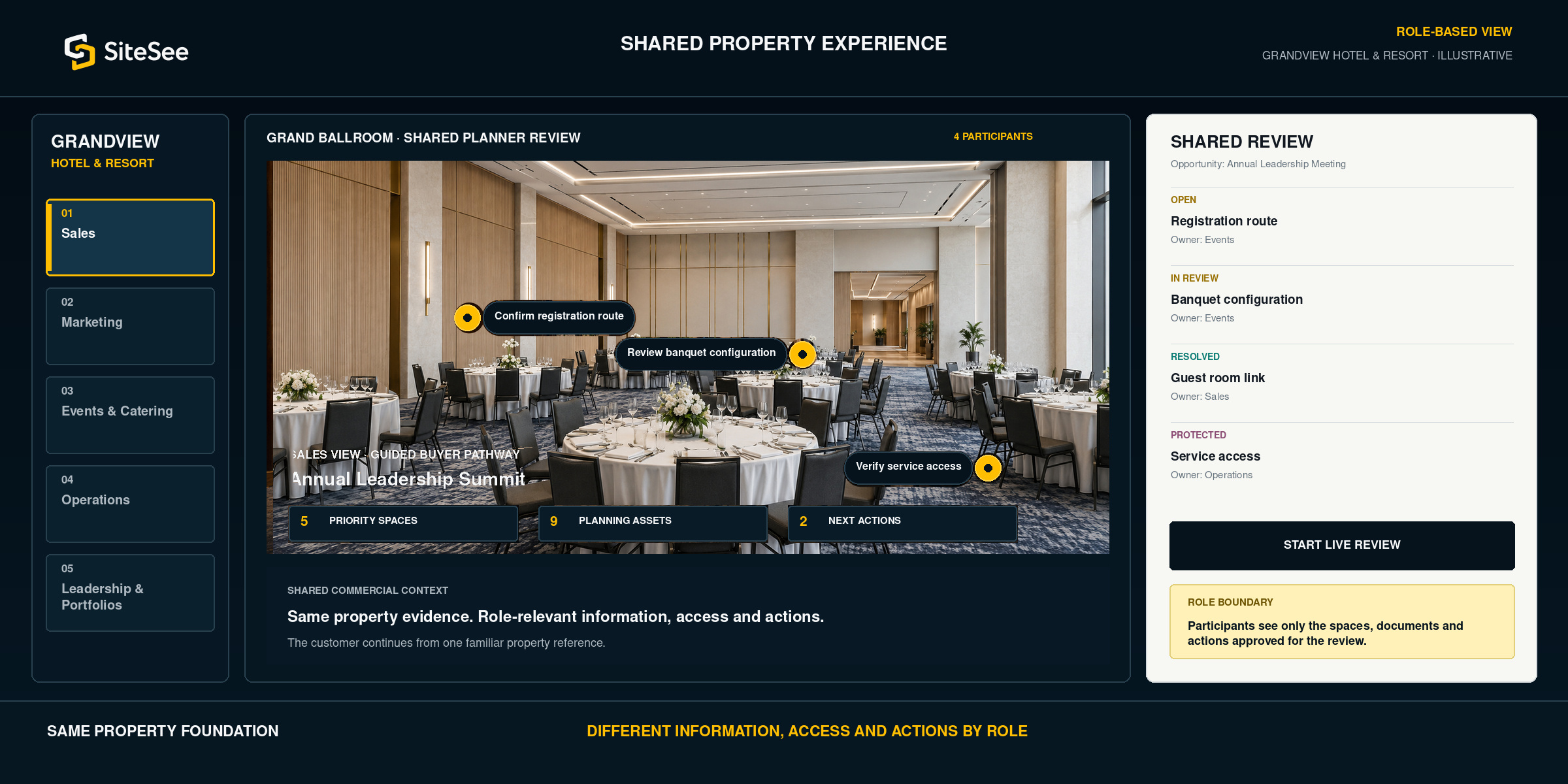
Sales may use a proposal, marketing may manage the website, events may rely on diagrams, operations may hold separate instructions and leadership may see only summary reporting. The buyer experiences the handoffs.
SiteSee gives each team a role-relevant way to work from the same property environment so information can remain connected, controlled and commercially useful from first interest through planning and follow-up.
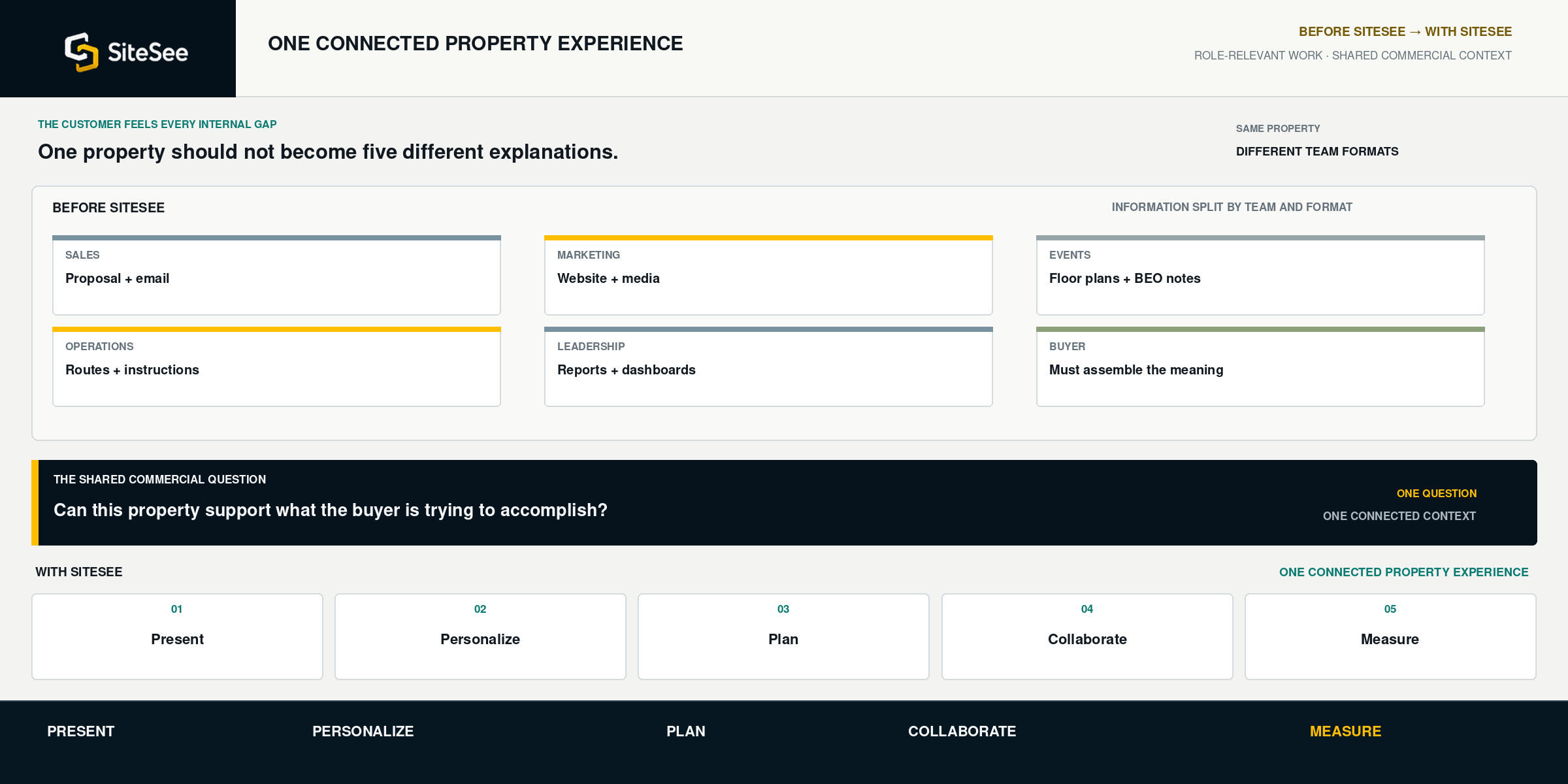
The customer need leads each section. The exact SiteSee capability follows. The role is not asked to adopt features that do not improve its work.
| No. | Team and customer objective | What the team needs | SiteSee capability |
|---|---|---|---|
| 01 | SalesMove the buyer beyond basic orientation. | Help buyers understand the property, focus on the spaces relevant to the opportunity and keep momentum after the call without rebuilding the same explanation every time. What improves: qualification, relevance and follow-up context. | Named capability Buyer Clarity · Guided pathways · Deep links · Contextual RFP and contact actions · Smart Links · Engagement analytics |
| 02 | MarketingTurn property content into a measurable commercial asset. | Keep the experience on-brand, organize media around buyer questions, support campaigns and make the same content more useful across the website, outreach and sales follow-up. What improves: brand consistency, content utility and campaign visibility. | Named capability Brand profiles · Controlled content · Embeds · Campaign-specific links · Guided menus · CTA tracking · Analytics |
| 03 | Events & CateringAnswer planning questions where they occur. | Give planners, catering, AV and client teams one spatial reference for dimensions, room relationships, access, configurations, supporting areas and location-specific decisions. What improves: planner confidence, shared review and handoff quality. | Named capability Floor plans · Measurements · Virtual staging · Spatial Notes · Protected access · Exact-location sharing · Planning content |
| 04 | OperationsKeep useful knowledge connected to the physical place. | Make selected routes, instructions, supporting media and operational information available to the right users without exposing every area or document to every audience. What improves: controlled guidance, consistency and less repeated direction. | Named capability Role-based access · Spatial Notes · Guided procedures · Protected workspaces · Route controls · Optional kiosk or AR guidance |
| 05 | Leadership & PortfoliosCreate standards without flattening local individuality. | Give local teams an effective property-level system while maintaining brand control, permissions, organized workspaces and clearer visibility into buyer engagement across properties and campaigns. What improves: governance, consistency and portfolio intelligence. | Named capability Workspaces · Projects and folders · Custom roles · Brand profiles · Scheduled reports · Heat maps · Portfolio analytics |
The same experience can support discovery, qualification, planning, delivery and learning. Each team enters where its responsibility begins, while the customer continues to work from a familiar property reference.
Introduce the property through the website, campaigns and audience-specific entry points.
Brand profiles · Embeds · Campaign linksGuide attention, answer early questions and share the exact spaces relevant to the opportunity.
Buyer clarity · Guided selling · Contextual actionsReview fit, dimensions, configurations, access and supporting information with the property in view.
Floor plans · Measurements · Notes · Protected reviewExtend selected routes, instructions and onsite guidance where the operating need justifies it.
Role-based access · Procedures · NavigationSee where attention developed, which content was used and where repeatable practices can improve.
Analytics · Reporting · Portfolio visibilityNot every user needs the same permissions, and not every audience should see the same information. SiteSee can separate workspaces, responsibilities and access while keeping the organization connected to a common platform.
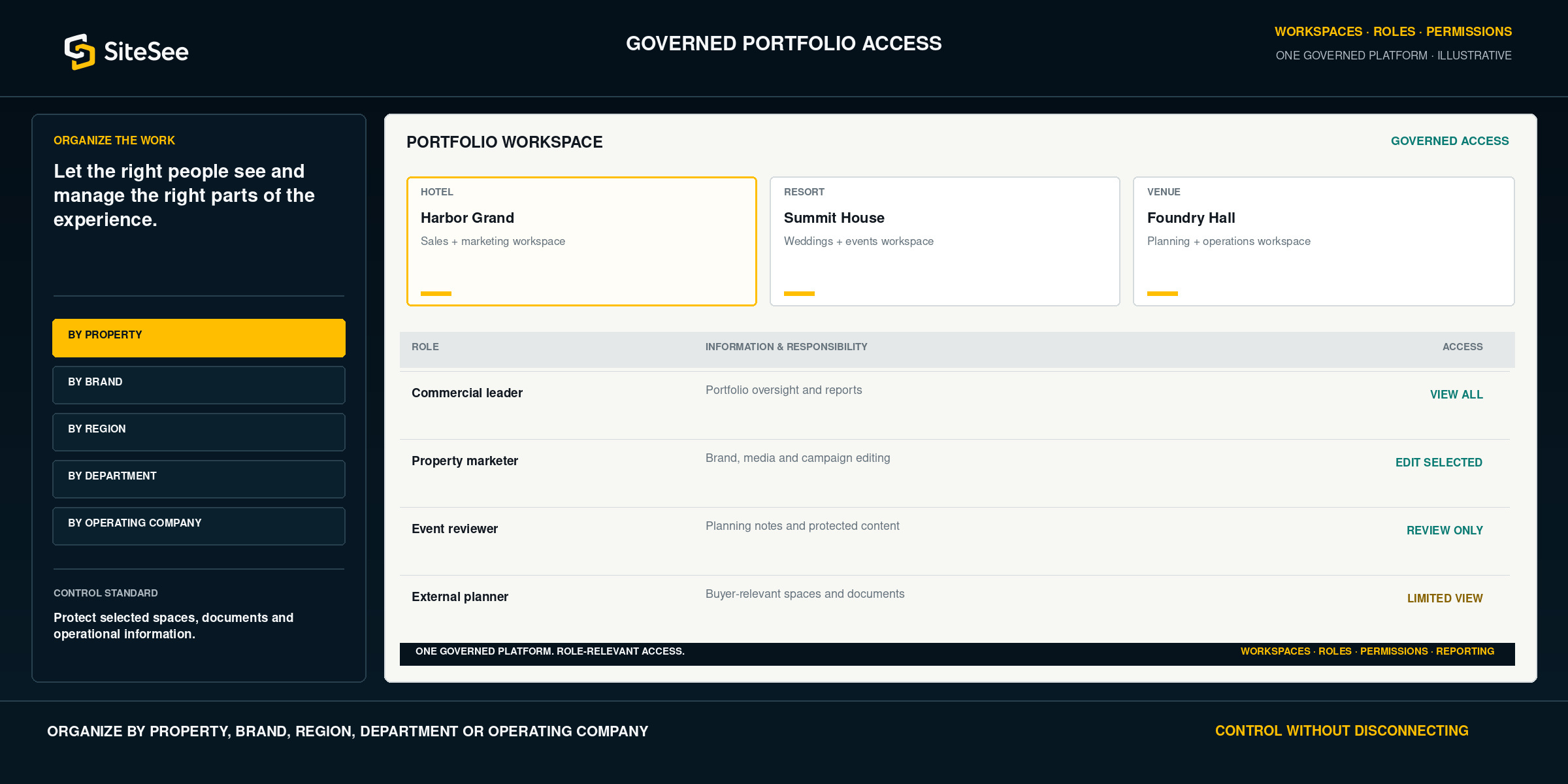
SiteSee does not replace the people responsible for selling, planning or operating the property. It gives them a shared commercial environment that preserves context as the customer moves forward.
The property and supporting information remain available between conversations.
Sales, planning and operations can work from the same spatial reference.
Roles and permissions make responsibilities easier to define and govern.
Marketing, sales and leadership can see what buyers actually used.
SiteSee can begin with a specific sales, planning, marketing or portfolio need, then expand only when another team has a credible reason to use the platform.