
How SiteSee Works // The Property and Flexible-Space Sales Operating System
Start with the buyer decision. Build only the experience that helps move it forward.
Your buyers should not have to reconstruct the property from disconnected photographs, plans, documents and explanations. SiteSee defines the purpose, documents the place, produces what is missing, connects every asset, publishes the experience and improves it over time.
Purpose before productionProperty-controlledBuilt to stay current
One Commercial AssetSeven Connected Stages
 The Spatial Link
The Governing Principle
A better property experience begins with the decision—not the camera.
A visually impressive property experience can still fail when it does not answer the questions that influence the decision. SiteSee begins by identifying the audience, the property condition, the sales or planning use, the existing materials and the actions the experience should support.
The production plan follows the commercial purpose. That keeps the project focused on what buyers and teams must accomplish rather than on using every available technology.
01
Discovery & Experience Architecture
Agree on what buyers need to understand before production begins.
We identify what the property needs buyers, planners, stakeholders and internal teams to understand. That includes the spaces being sold, the audiences being served, the questions that repeatedly slow the conversation and the channels where the experience will be used.
The result is a practical experience plan covering scope, pathways, production, content, access, distribution and measurement.
Sales and planning prioritiesBuyer audiences and questionsProperty and space inventoryExisting content and system reviewExperience and capture planMeasurement objectives
Customer resultProduction begins with a decision map, not a camera.
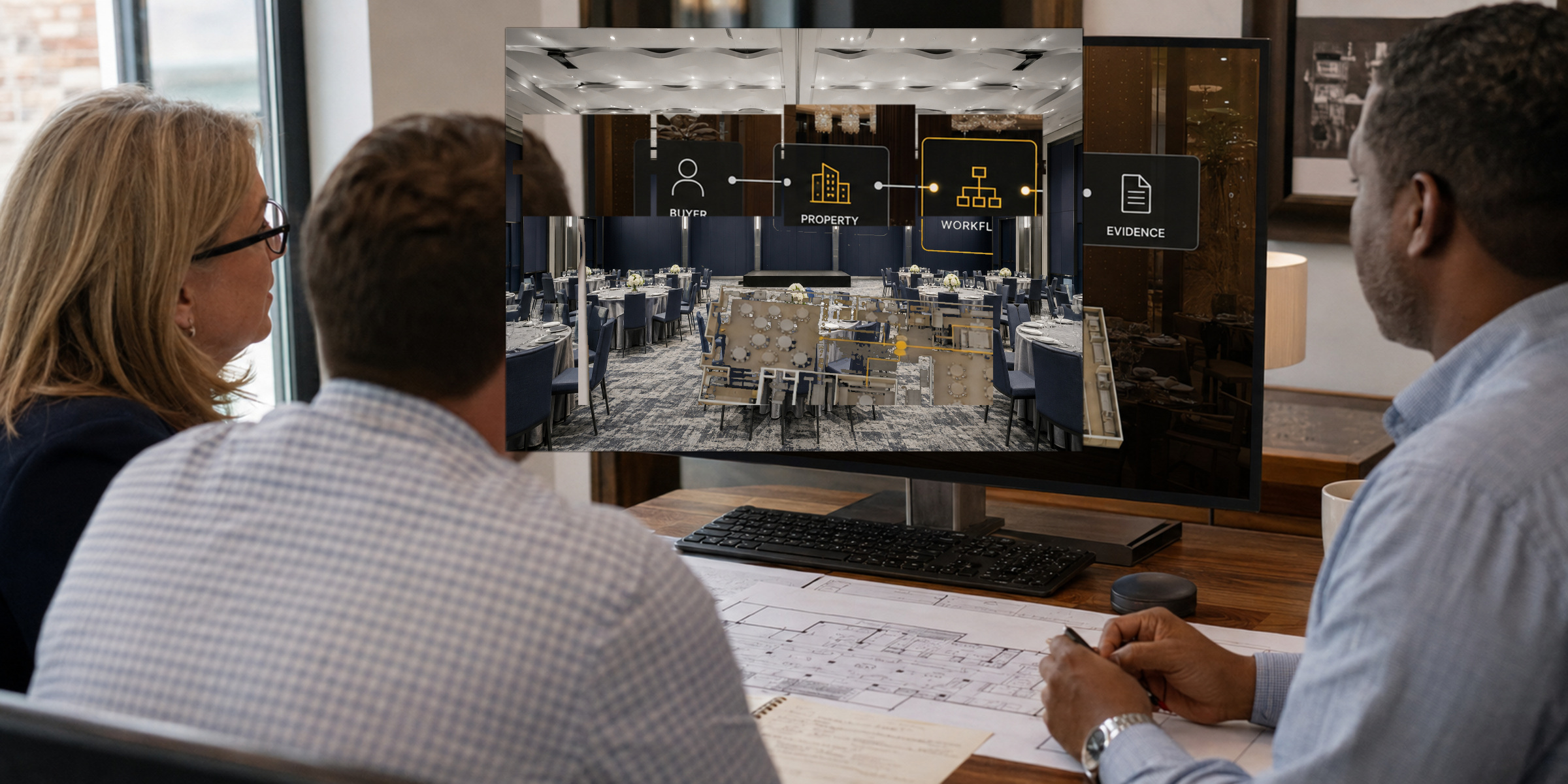
Discovery and property scope
Experience ArchitectureWhat must become clear?
ScopePathwaysProductionMeasurement
02
Precision Property Capture
Document the property as a connected environment.
We select the capture method around the property, the decision and the intended use. A project may combine high-fidelity ground-based photogrammetric imaging, precision LiDAR, architectural stills, 360-degree viewpoints, exterior documentation and aerial three-dimensional site context.
Rooms, routes, entrances, supporting areas, amenities and exterior relationships are documented so the buyer can understand how the property works, not merely how individual spaces look.
Interior and exterior spatial captureArchitectural stills and panoramic viewsAerial property and destination contextPlans, measurements and relationshipsArrival, access and circulationKey details and supporting spaces
Customer resultThe property becomes one navigable source of spatial context.
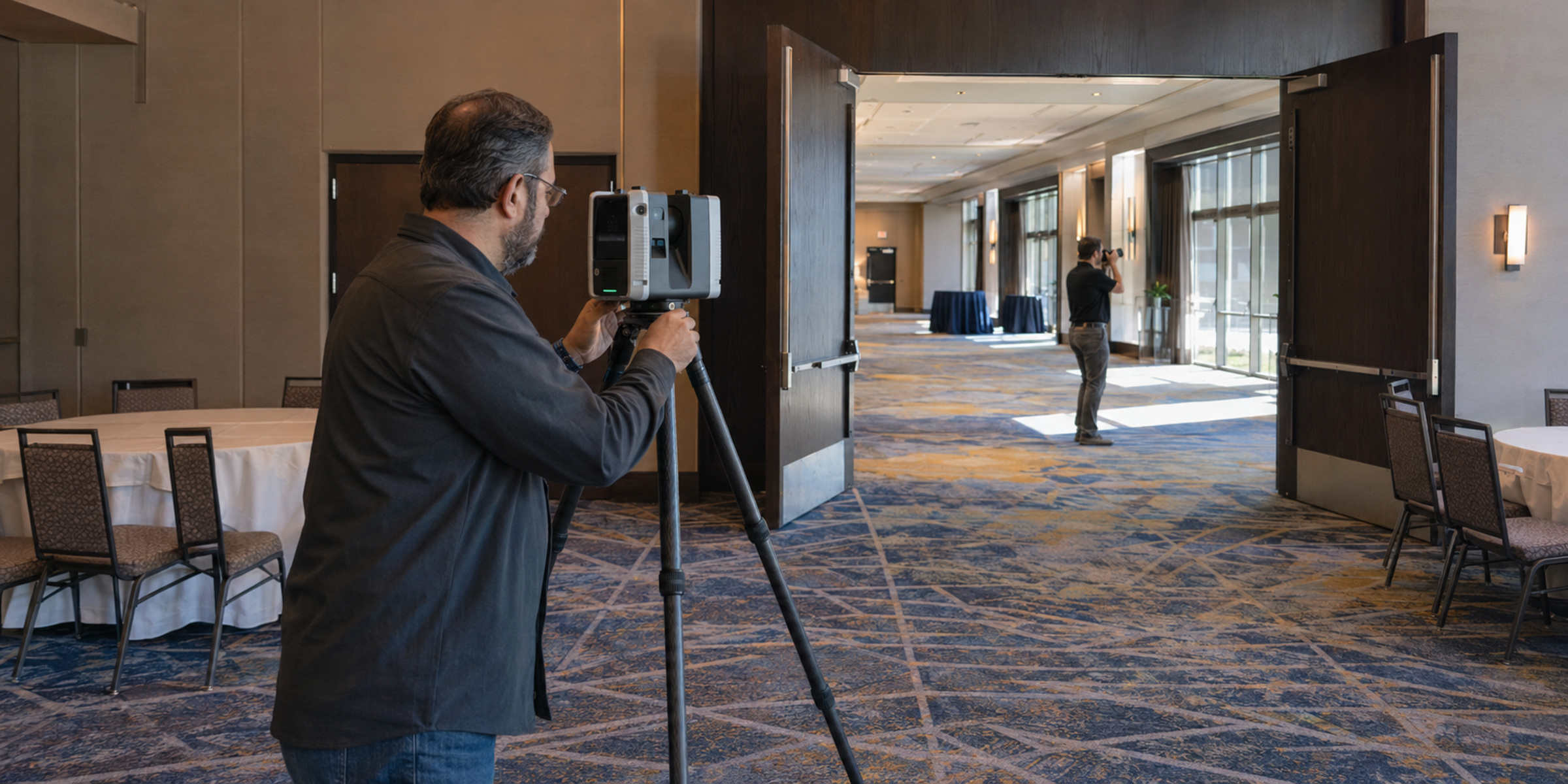
Precision capture and field documentation
Capture CoverageProperty + Context
Lobby
Meeting
Dining
Guest
Aerial context
Spatial captureMeasurementsRoutesExterior context
03
Video, CGI & Future-State Visualization
Show the condition buyers need to evaluate, even when it does not yet exist.
Current conditions do not always tell the complete sales story. SiteSee can add guided property video, interviews, motion graphics, architectural CGI, animation, alternate configurations, 2D and 360-degree staging, renovation concepts and pre-opening visualization.
The production method is chosen according to what the buyer needs to understand and what the property can responsibly represent.
Property and experience videoInterviews and guided explanationArchitectural CGI and animationPre-opening and renovation visualizationAlternate layouts, décor and stagingSeasonal and future-use scenarios
Customer resultBuyers can evaluate both the present property and its intended possibilities.
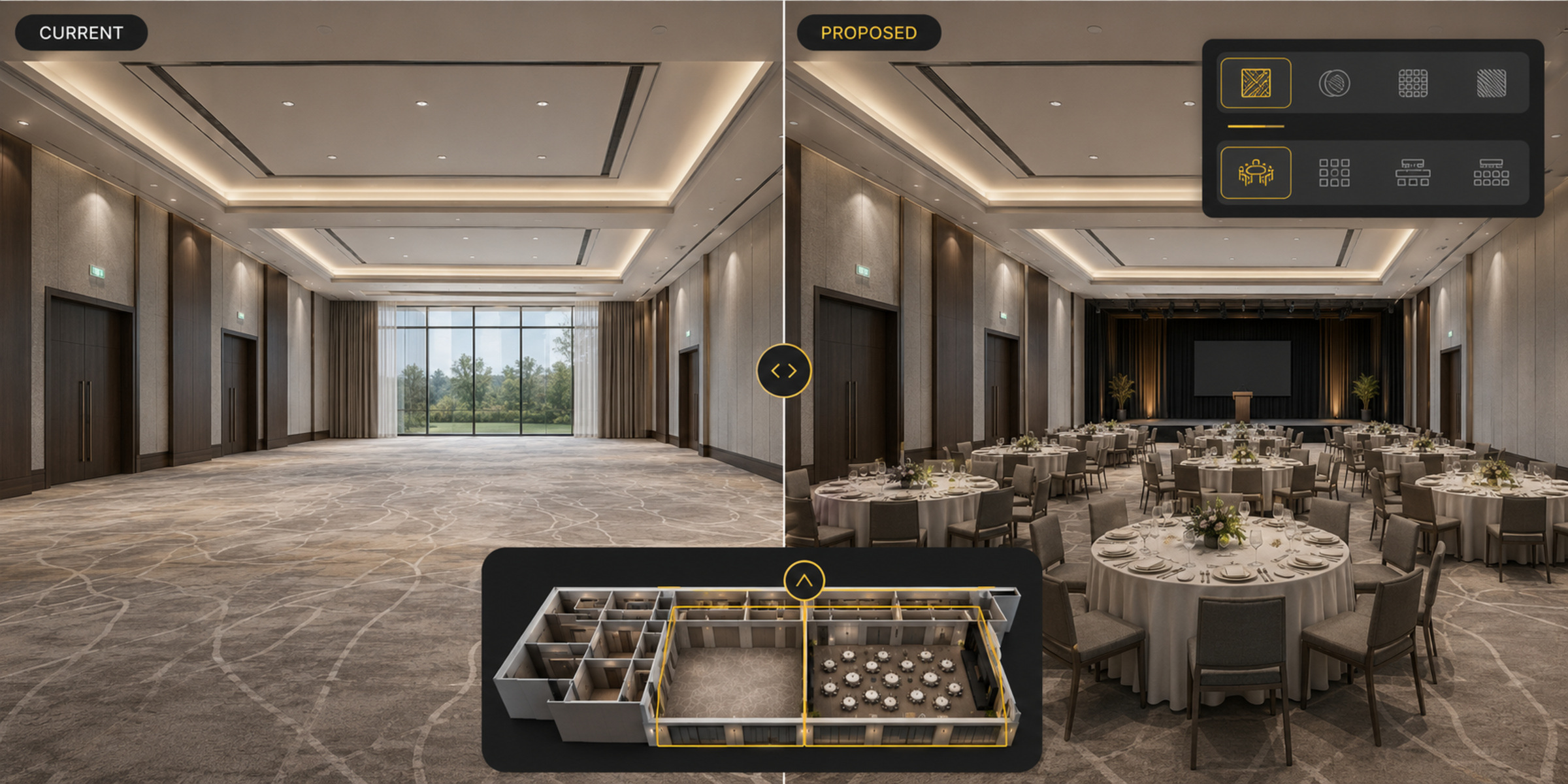
Future-state visualization
Current ConditionDecision Condition
Document what exists
Visualize what must be evaluated
04
Experience Build & Asset Intelligence
Put each answer where the question occurs.
Every plan, measurement, image, clip, document, link, call to action and access rule is connected to the space, audience or step it supports. SiteSee is not a media folder placed beside a property experience.
We structure the platform through asset tags, guided pathways, audience-specific content, permissions, metadata and analytics naming so the experience remains usable, measurable and governable.
Asset tagging and spatial relationshipsGuided buyer pathwaysAudience-specific experiencesProtected and internal contentCalls to action and conversion logicAnalytics taxonomy and metadata
Customer resultThe buyer receives relevant context, not a library of disconnected assets.
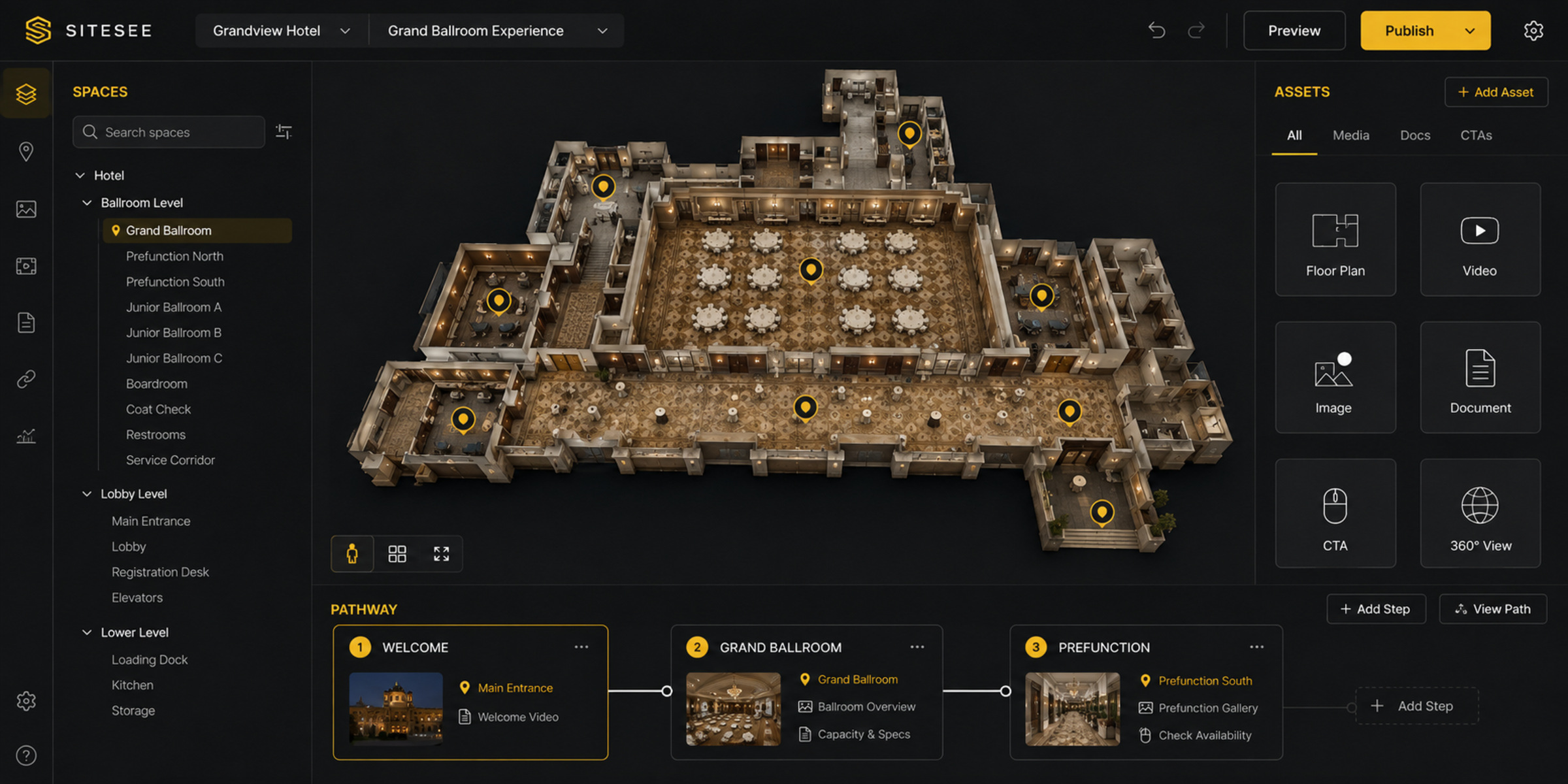
Platform build and content organization
Grand BallroomSpace ID 01PlanDimensions
MediaVideo + Images
ContentMenus + Specs
PathwayCorporate Event
ActionRequest Proposal
InsightEngagement
05
Property Review & Governance
Approve the experience before buyers rely on it.
Your team reviews how the property is represented before publication. The review covers spatial accuracy, property facts, branding, navigation, content, access levels, buyer pathways, calls to action and the structure used to measure engagement.
SiteSee coordinates the revision process, but the property retains control over what is public, protected, internal or not yet ready to publish.
Property and spatial accuracyBrand and content reviewNavigation and pathway testingAccess, privacy and permissionsConversion and analytics reviewPublication approval and team handoff
Customer resultThe property controls the representation before the experience enters the market.
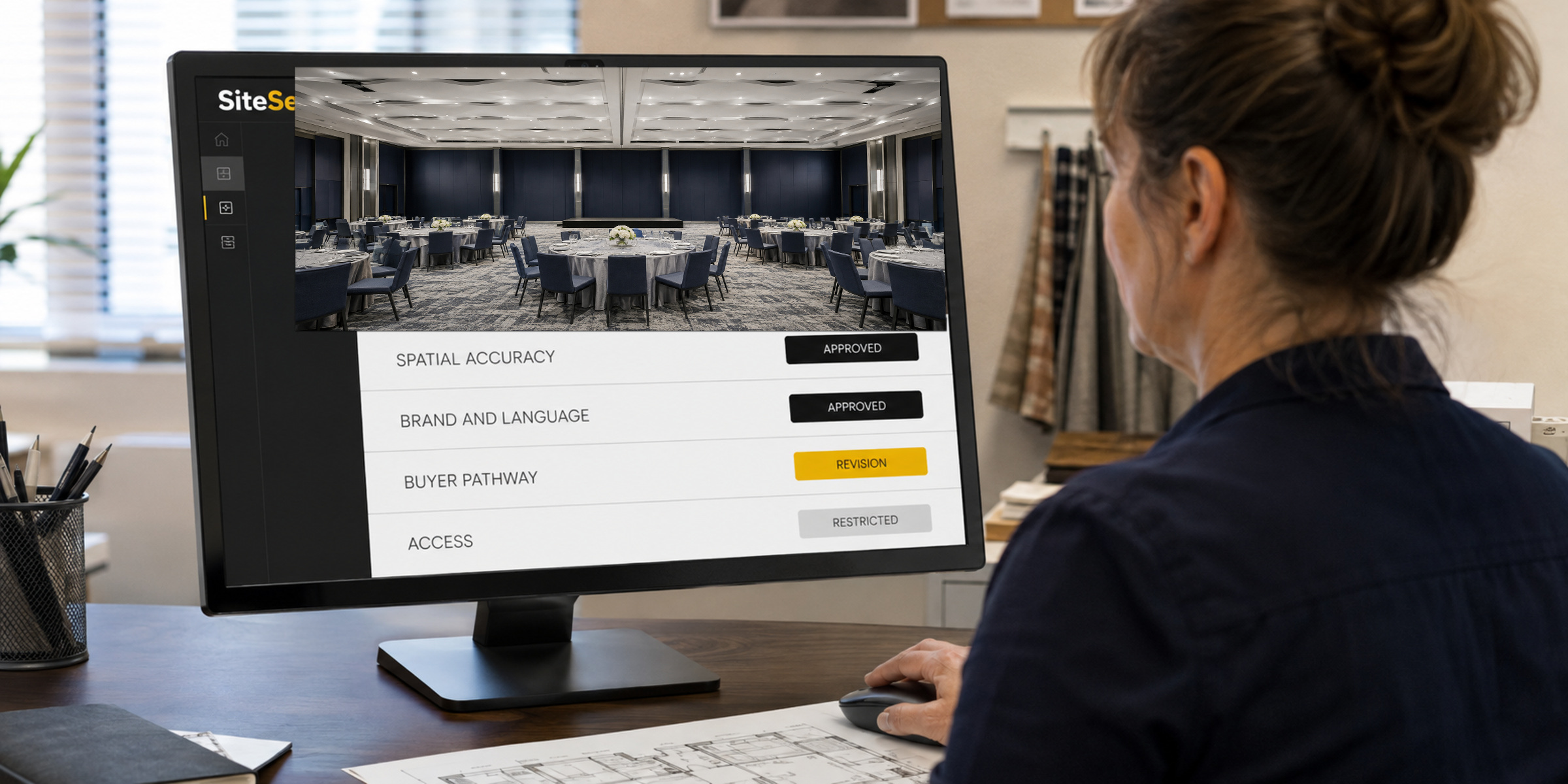
Property review and approval
Property ReviewRelease Readiness
Spatial accuracyApproved
Brand and languageApproved
Buyer pathwaysRevision
Internal operations contentRestricted
Calls to actionApproved
Analytics namingApproved
06
Publishing, Distribution & Integration
Use the experience wherever the sales conversation already happens.
SiteSee does not require the customer to abandon every existing system. The approved experience can be embedded, linked or incorporated into the websites, proposals, RFP responses, emails, signatures, presentations and property or portfolio environments buyers and teams already use.
Where authoritative data or a deeper workflow connection is required, the integration is scoped and validated rather than casually promised.
Property and portfolio websitesDirect buyer linksProposals and RFP responsesEmail and email signaturesSales presentations and meetingsApproved external and custom connections
Customer resultOne controlled experience can support the conversation across multiple touchpoints.
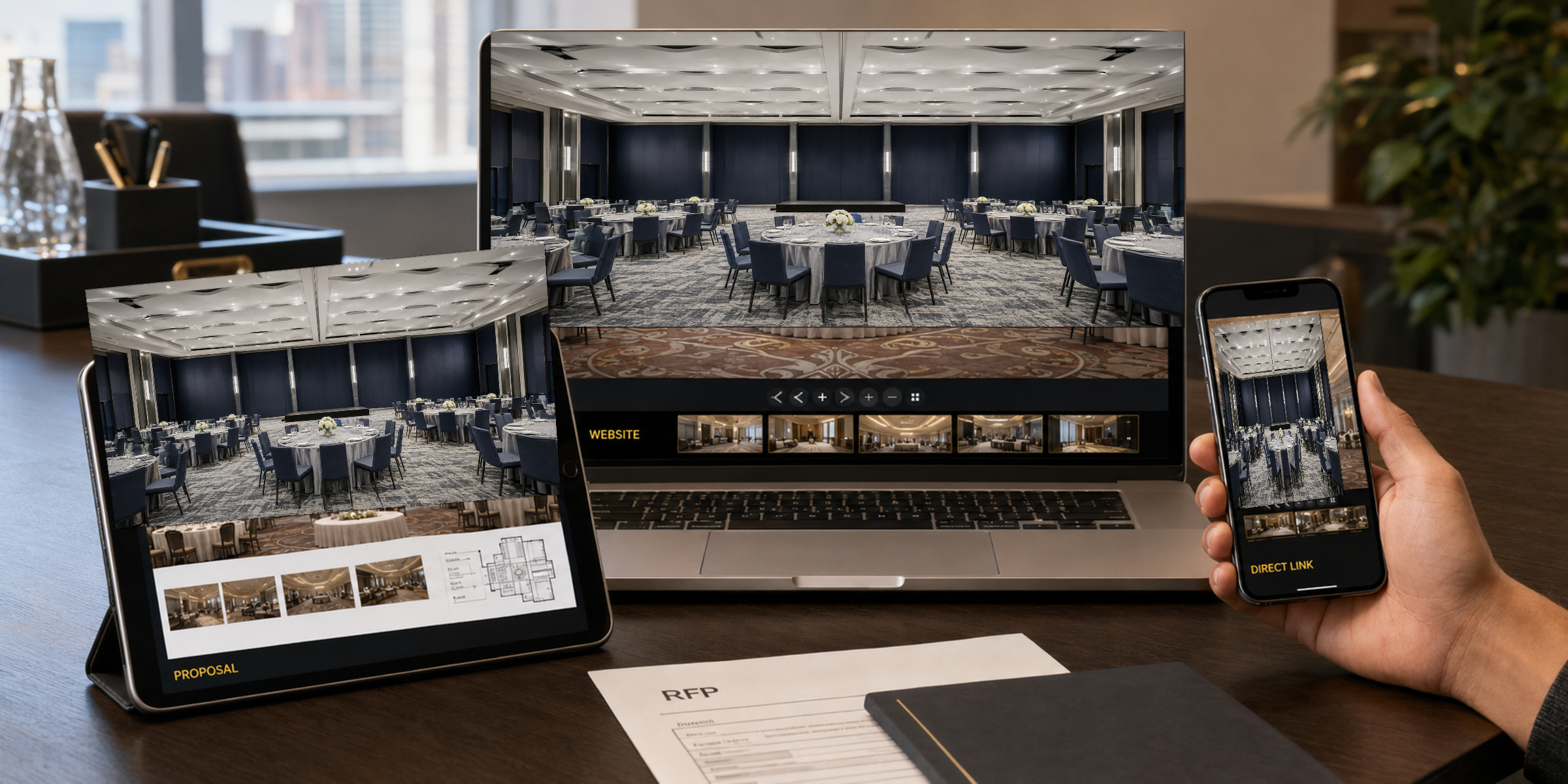
Publishing and distribution
SiteSee ExperienceOne approved sourceWebsiteEmbed
ProposalShare
EmailDirect link
RFPSupport
MeetingPresent
PortfolioGovern
07
Analytics, Optimization & Expansion
Keep the experience current, measurable and more valuable.
Launch is the point at which evidence begins, not the point at which the work ends. SiteSee can review how buyers use the experience, which spaces and content earn attention, where pathways lose momentum and what the next sales conversation should address.
The experience can then be refreshed for renovations, seasonal conditions, new spaces, new audiences, additional uses or portfolio expansion without rebuilding the entire foundation.
Engagement and pathway reviewSpace and content performanceRenovation and seasonal updatesNew buyer and event pathwaysMeasurement refinementProperty and portfolio expansion
Customer resultThe experience remains a working commercial asset instead of becoming stale after launch.
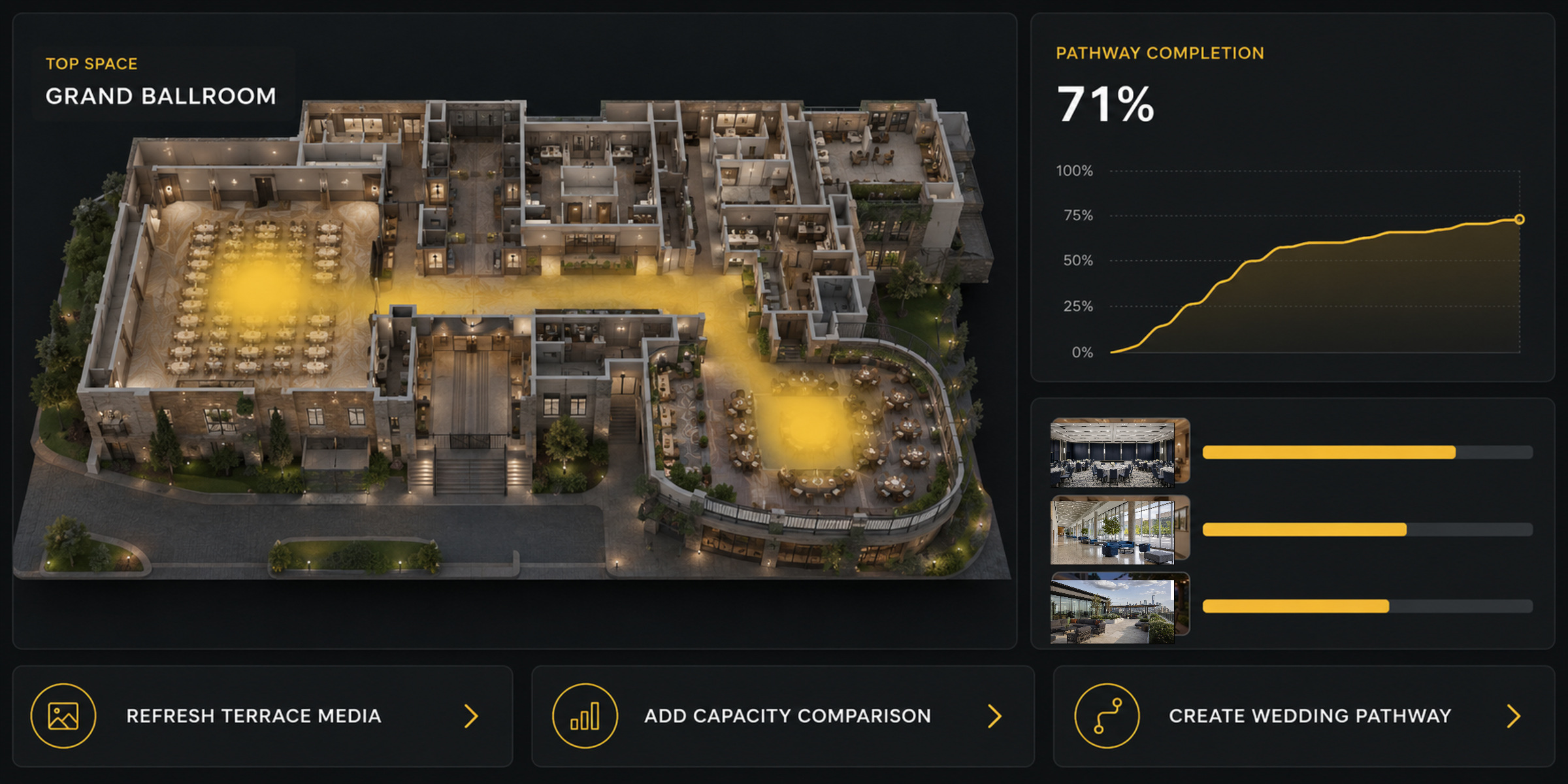
Analytics and ongoing optimization
Experience HealthWhat should improve next?
Refresh terrace mediaAdd capacity comparisonCreate wedding pathway
The Production Mix
Choose the production mix by the decision it needs to support.
Different properties and buying situations require different forms of evidence. SiteSee selects and combines the appropriate production methods while keeping every asset connected to the same property experience.
Spatial Documentation
Connected interior and exterior property context.
Aerial Context
Site relationships, arrival and surrounding destination context.
Photography & 360 Imagery
High-value visual detail where still imagery communicates best.
Video & Interviews
Human explanation, property story and guided attention.
CGI & Animation
Future conditions, movement, renovation and proposed spaces.
2D & 360 Staging
Alternate arrangements, décor, layouts and event possibilities.
Plans, Data & Asset Tags
Practical detail attached to the space it describes.
Analytics & Optimization
Evidence that helps the experience remain useful and current.
A Controlled Working Relationship
Everyone should know what they own, what SiteSee handles and what gets approved together.
Property truth and commercial priorities.
- Accurate property and space information
- Brand standards and approved content
- Buyer, planner and operational priorities
- Access, scheduling and internal stakeholders
The strategy, production and connected experience.
- Experience architecture and production planning
- Capture, media, visualization and platform build
- Asset organization, pathways and publishing
- Measurement, optimization and continuing support
What buyers see and how the experience is used.
- Accuracy, brand and public representation
- Access levels and protected information
- Calls to action and distribution
- Launch readiness and expansion priorities
The Property and Flexible-Space Sales Operating System
Built for hotels, resorts, event venues, restaurants, universities, senior-living communities, cultural properties, and places where the physical environment influences the decision.
Start With the Property
Your property already contains the story. Connect it around the decisions buyers need to make.
We begin with what buyers and teams need to understand, then determine the right capture, production, platform and optimization plan.