
Learning Center & Support // Task-Based Platform Guidance
Find the answer, finish the task and keep the customer moving.
Learn SiteSee in the context of the work your team needs to complete: build the property experience, guide buyers, support planning, collaborate, read engagement, govern the portfolio and extend the platform onsite.
The Learning Rule
Your team should not have to learn every feature before completing useful work.
Begin with the work the customer needs to complete. Then identify the SiteSee capabilities, account settings, property information and human approvals required to complete it responsibly.
Name the customer outcome or operating task.
Build, guide, plan, collaborate, measure, govern or support onsite use.
Use only the platform functions required for that task.
Keep the workflow understandable and avoid unnecessary technical complexity.
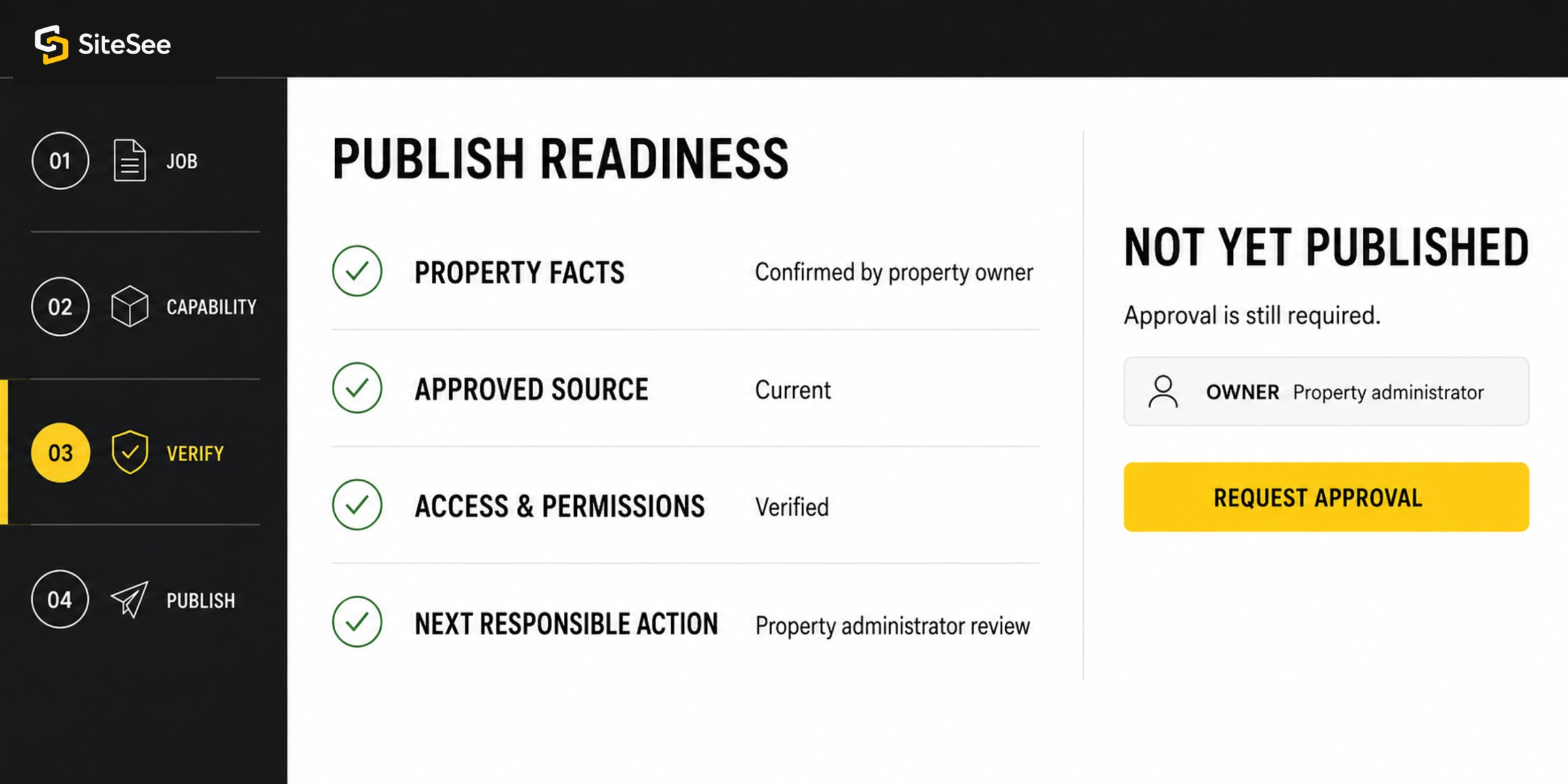
Confirm property facts, access and next action before publishing.
SiteSee carries context. The responsible people still approve the result.
Choose the Work
Start with what your team needs to finish.
Each learning route connects a customer job to the exact SiteSee capability, the information required and the verification that should occur before the work is considered complete.
Knowledge Library
Search by task, not by software vocabulary.
Every record explains what the team is trying to accomplish, what should be prepared, the steps to follow, what to verify and when account-specific help is required.
No learning record matches that search. Try a broader task or another property question.
Role-Based Learning
The same property source supports different responsibilities.
Sales, marketing, planning, operations and portfolio leadership should not receive the same training sequence. Each role needs the parts of SiteSee that help it complete its own work while preserving one approved property foundation.
From Access to Useful Deployment
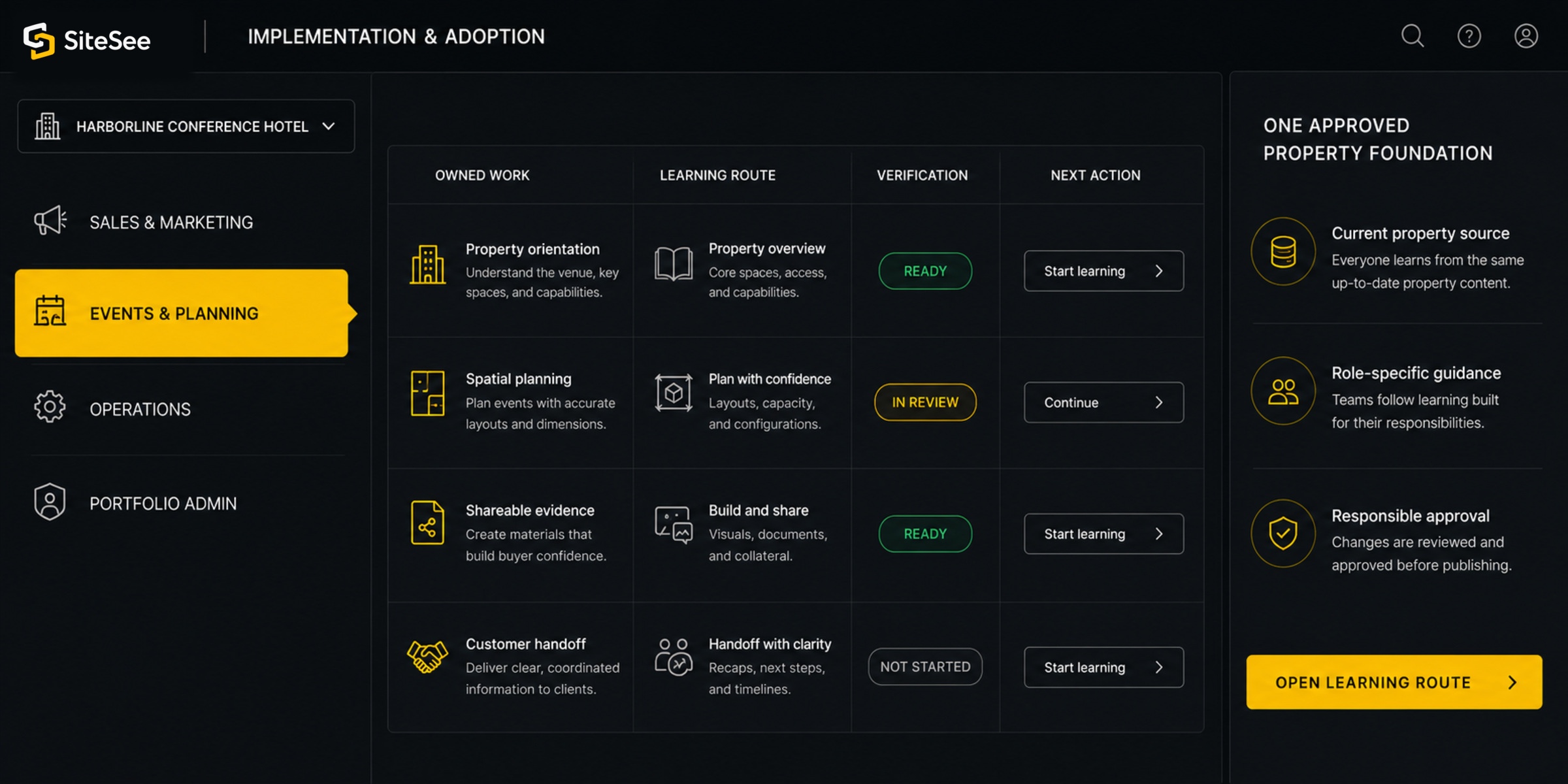
Train each team around the work it owns in the active customer experience.
A team does not need to learn every function before the property becomes useful. The learning sequence should follow the approved objective, operating role and next deployment stage.
Confirm the property objective and audience.
Understand what the experience is expected to help buyers or teams accomplish.
Establish the workspace, roles and approved source material.
Identify who can edit, review, publish, share and administer.
Create the first useful property pathway.
Connect only the spaces, content, planning evidence and actions required for the initial objective.
Verify the experience and distribute it through approved channels.
Confirm current facts, access, links, branding, permissions and next actions.
Train each team by the work it owns.
Sales, marketing, events, operations and leadership receive different practice and responsibility.
Review use, update content and expand only where value is clear.
Use deployment evidence and customer feedback to determine the next learning need.
Support Routing
The fastest useful answer begins with the right context.
SiteSee support should receive enough information to understand the property, account, audience, expected result and observed condition without asking the customer to reconstruct the entire situation.
Platform Guidance
Use the Learning Center when the team needs to understand a standard task, capability or verification step.
Search Guidance →Account & Configuration
Use account support when the question depends on enabled capabilities, user roles, property setup or organization-specific configuration.
Contact SiteSee →Data, Privacy & Integration
Use a scoped review when the question involves authoritative data, identity, third-party systems, AI processing, retention or security requirements.
Review Trust Controls →Unexpected Behavior
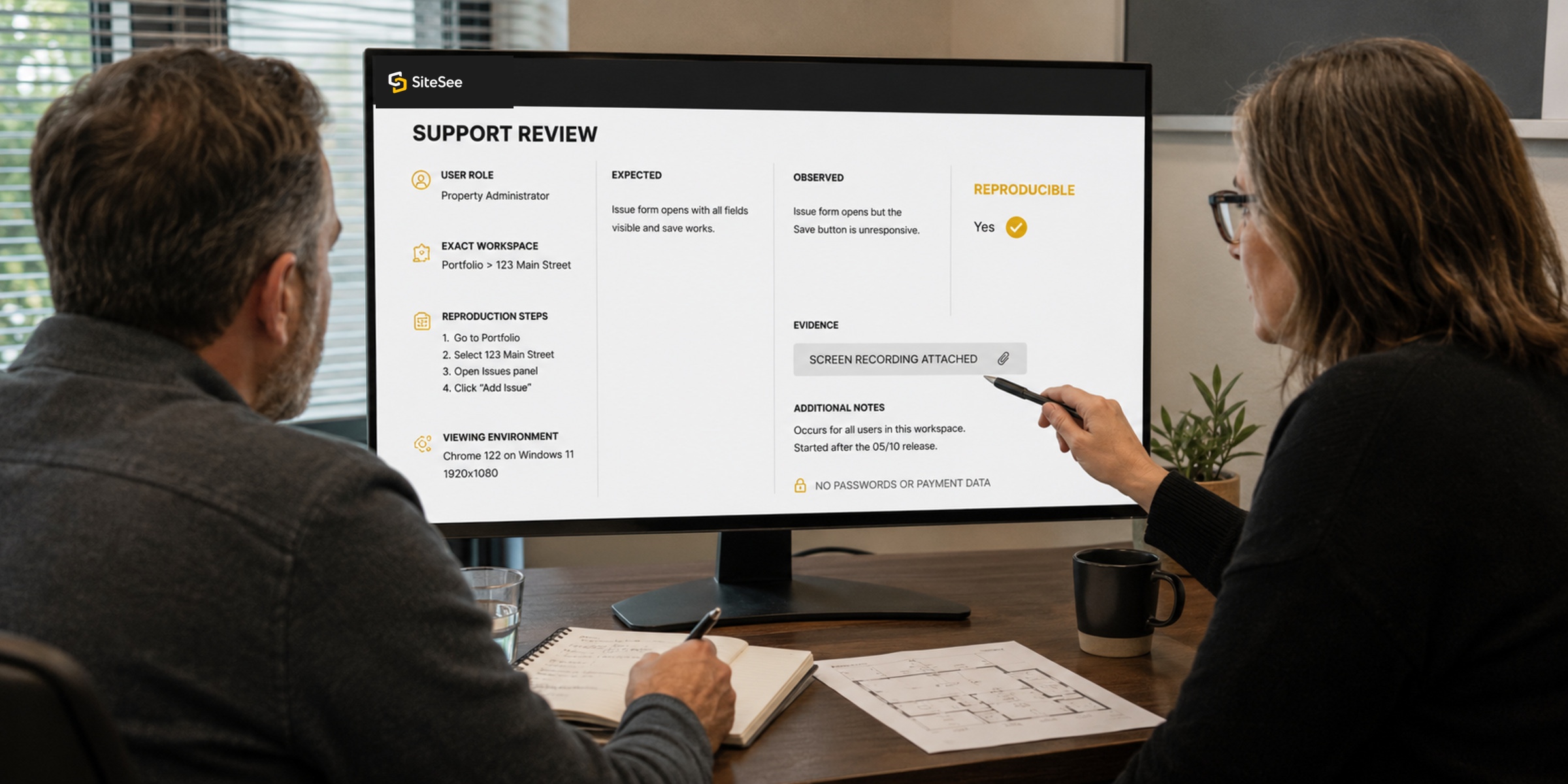
Provide the exact page, user role, steps, expected result, observed result and time so the condition can be reproduced.
Build a Support Brief →Support Request Brief
Prepare the context before you send the question.
This tool creates a local summary only. It does not transmit account or property information.
Property facts remain customer-controlled.
Availability, pricing, capacities, policies, routes, accessibility and operating information remain subject to the responsible source.
Account capabilities can differ.
Plans, add-ons, enterprise controls, integrations and permissions require account-specific confirmation.
Professional authority remains external.
SiteSee guidance does not replace legal, security, engineering, accessibility, life-safety, architectural or operational approval.
Support terms belong in the agreement.
Support channels, availability, severity definitions, escalation and service commitments must match the customer contract and current operating model.
The Support Standard
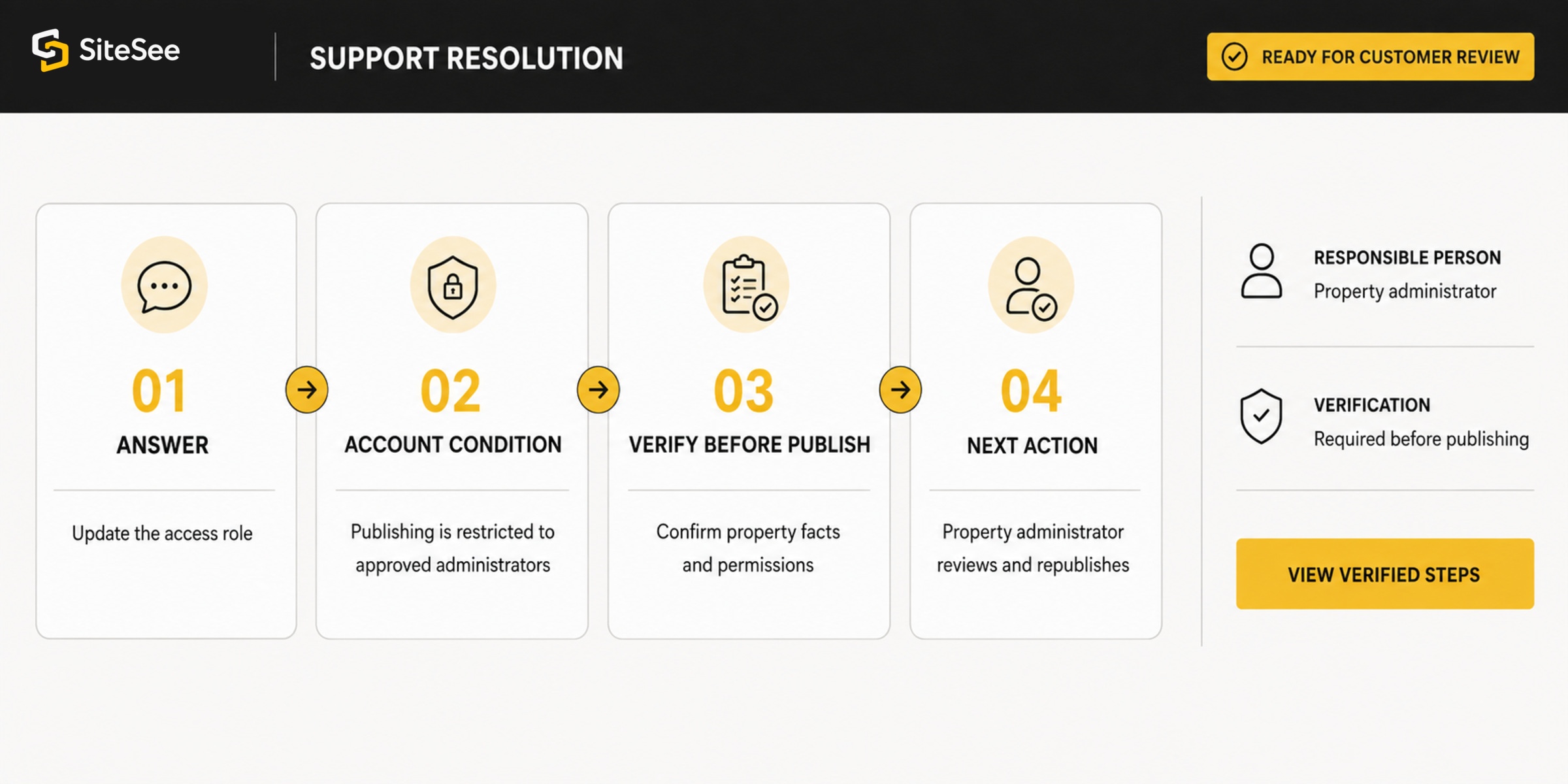
A useful answer should let your team finish the work with confidence.
Answer the immediate question.
Explain the relevant account or property condition.
Identify what must be verified before the change is published.
Make the next action and responsible person clear.
Show More. Decide Faster.
Start with the task, the property context and the result your team needs.
Search the task-based library for standard guidance, or bring SiteSee the account, property or deployment question that requires a more specific response.