SiteSee is the property and flexible-space sales operating system. It gives buyers, planners and property teams one branded environment for understanding physical spaces, reviewing planning information, sharing approved evidence, collaborating and taking the next commercial action, while giving the property team a connected operating layer for content, analytics, permissions, integrations and governance.
Direct answer 02
Who is SiteSee built for?
SiteSee is built for hotels, resorts, event venues, restaurants, universities, senior-living communities, cultural properties, management companies, brands, ownership groups and places where the physical environment influences the decision.
Direct answer 03
What problem does SiteSee solve?
SiteSee reduces the property-understanding gap created when photographs, floor plans, videos, documents, links and verbal explanations are separated. It connects those materials to the spaces and decisions they explain.
Direct answer 04
Does SiteSee replace an in-person property visit?
No. SiteSee helps a buyer understand and qualify the property earlier so a physical visit can confirm suitability, resolve remaining questions and focus on higher-value decisions instead of basic orientation.
Direct answer 05
How does SiteSee work?
SiteSee begins with the customer decision, documents the property in spatial context, produces any required photography, video, CGI or future-state visualization, connects approved assets to the relevant spaces, publishes the experience and improves it over time using customer feedback and engagement evidence.
Direct answer 06
What is an interactive property experience?
An interactive property experience is a branded, navigable presentation of the property that connects spaces, floor plans, measurements, media, documents, guided pathways, collaboration and next actions in one environment.
Direct answer 07
Does SiteSee use photogrammetry and LiDAR?
SiteSee can use immersive photogrammetry, precision spatial capture and LiDAR-based methods according to the property, required quality and intended commercial use. Capture is the foundation; the customer value comes from how the resulting spatial environment supports selling, planning and decision-making.
Direct answer 08
Can SiteSee produce photography and video?
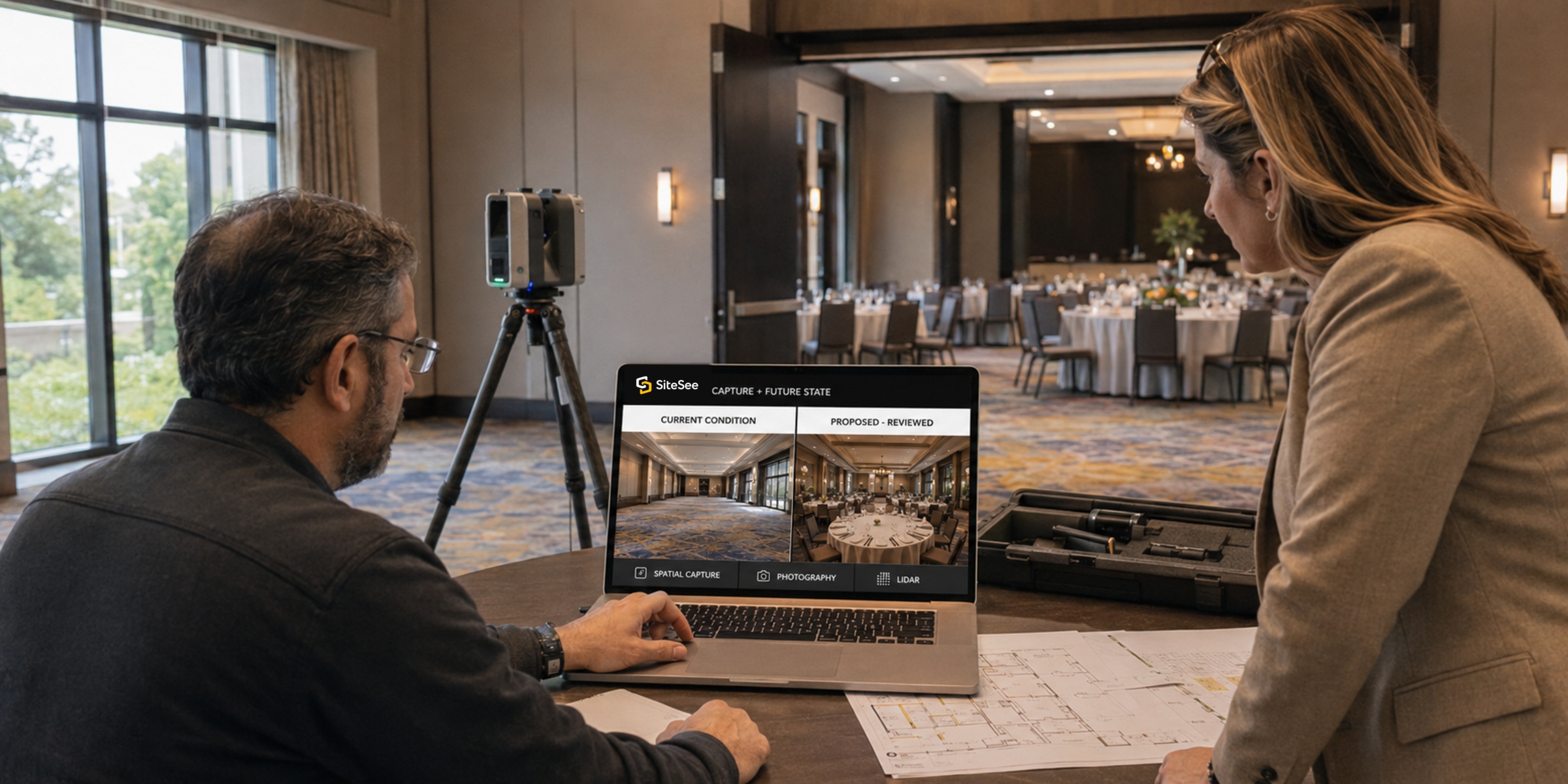
Yes. A SiteSee scope may include architectural photography, property video, interviews, guided explanations, aerial context and other produced media when those assets help the buyer understand the property or decision.
Direct answer 09
Can SiteSee show renovations or spaces that do not exist yet?
Yes. Approved plans and property materials can support CGI, animation, two-dimensional staging, 360-degree staging and other future-state visualization. Proposed conditions must remain clearly labeled and professionally reviewed.
Direct answer 10
What does AI-assisted design do?
AI-assisted design helps teams create alternate visual presentations and more relevant buyer pathways. It does not replace property approval, professional design authority or clear labeling of proposed conditions.
Direct answer 11
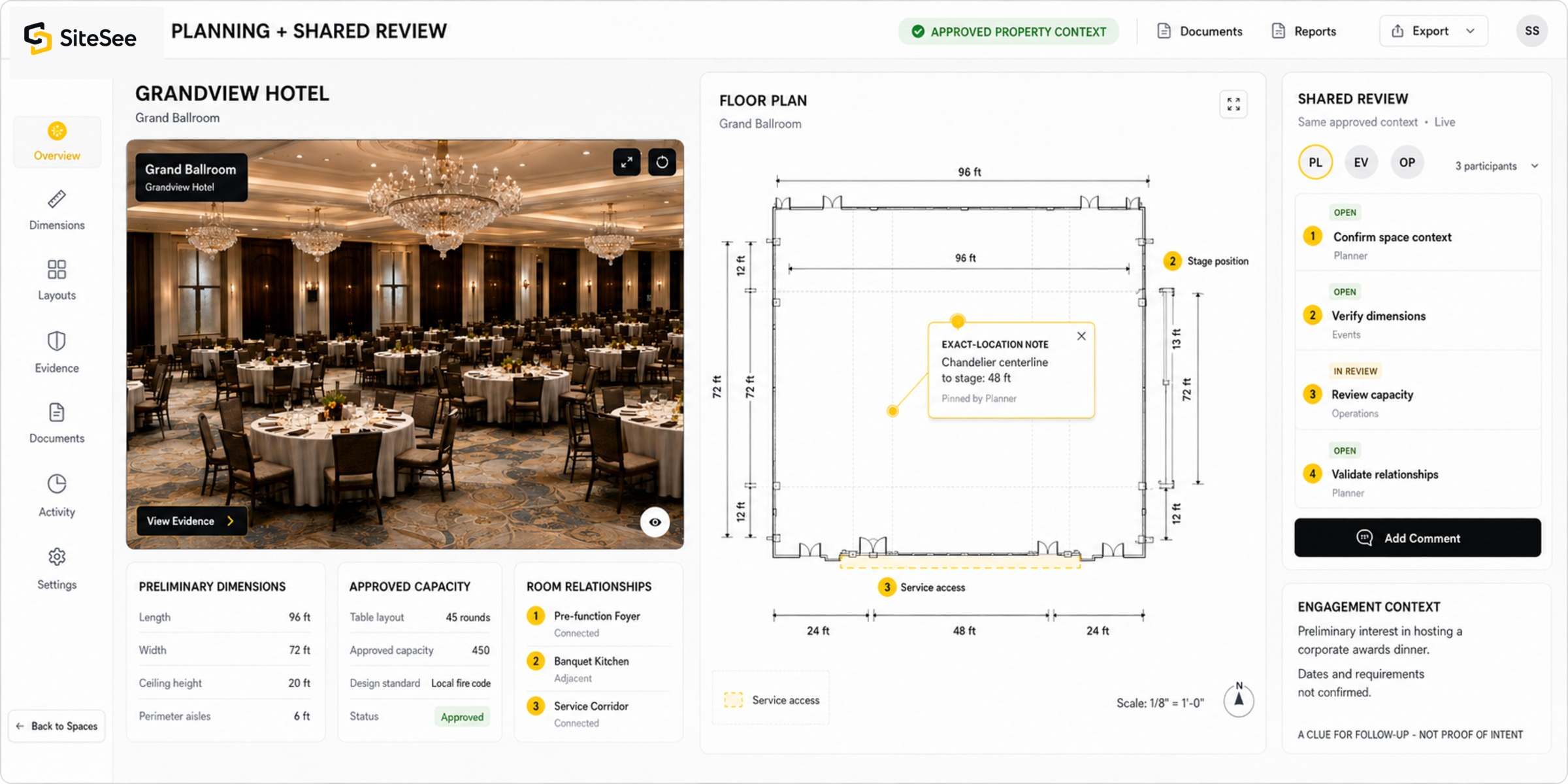
Can planners review floor plans and measurements?
Yes. SiteSee can connect floor plans, preliminary measurements, approved capacities, room relationships, configurations and supporting information to the spaces they describe. Final technical decisions remain subject to the responsible professionals and authoritative documents.
Direct answer 12
Can buyers and property teams meet inside SiteSee?
Depending on plan and configuration, SiteSee can support live guided meetings, shared review, exact-location links, spatial notes and controlled collaboration while participants look at the same approved property context.
Direct answer 13
What can SiteSee analytics show?
SiteSee analytics can show reach, space attention, content use, guided-pathway progression and approved next actions. Engagement is a clue for better follow-up; it is not proof of buyer intent, fit, availability or conversion.
Direct answer 14
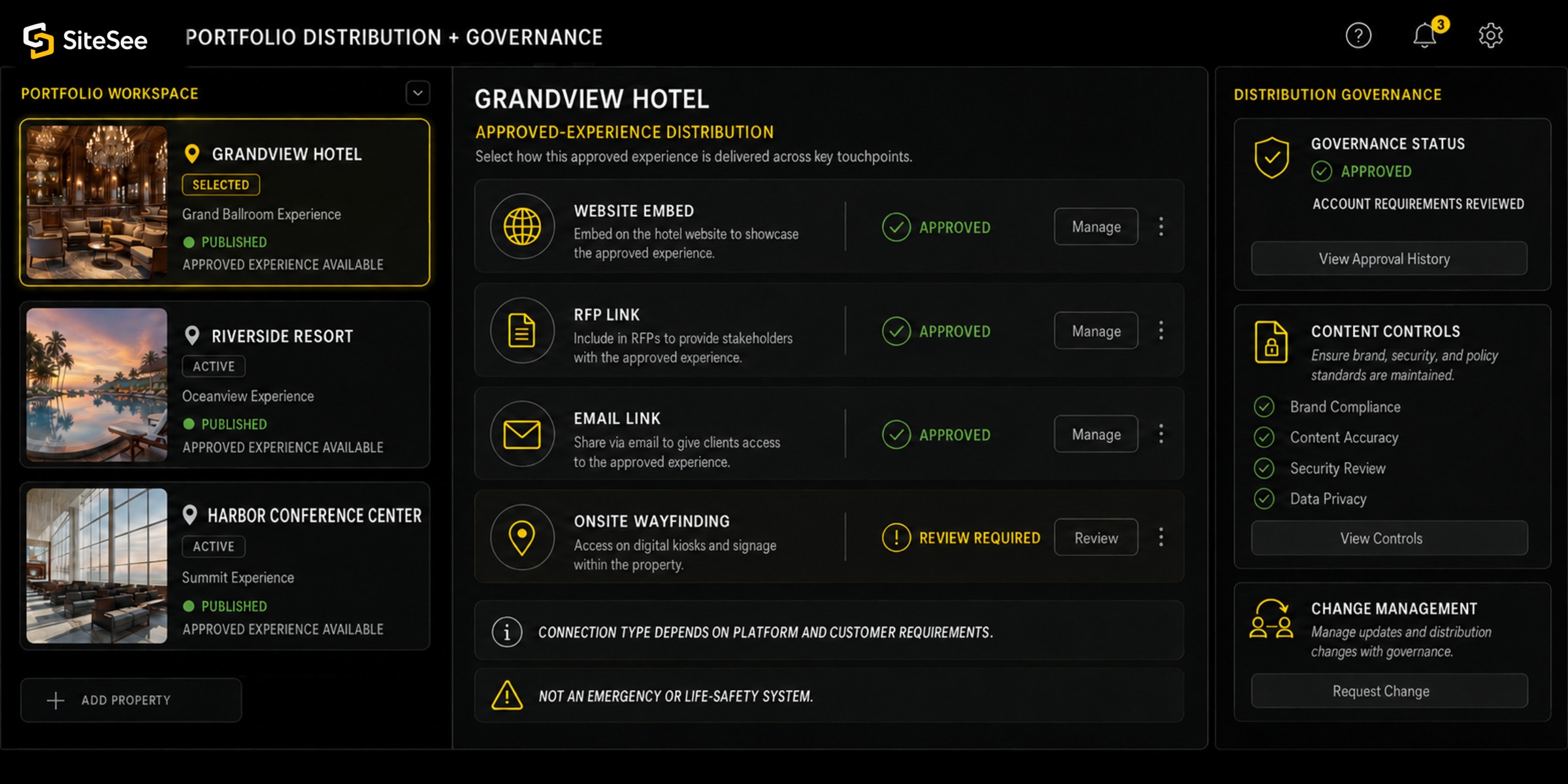
Can SiteSee support multiple properties?
Yes. Portfolio capabilities can support workspaces, brand controls, permissions, publishing standards, property-level individuality, reporting and governance across management companies, brands and ownership groups.
Direct answer 15
Can SiteSee support onsite navigation?
Where justified, SiteSee can extend into pre-arrival routing, public wayfinding, kiosks, accessible-route choices and protected operational guidance. It does not replace emergency plans, life-safety authority or authoritative operating systems.
Direct answer 16
How can SiteSee be shared or integrated?
SiteSee can be linked, embedded or incorporated into approved websites, proposals, RFP responses, email, event workflows, listings, social channels and custom enterprise environments. The exact connection type depends on the external platform and customer requirements.
Direct answer 17
How is SiteSee different from Matterport?
Matterport is a broad digital-twin and property-capture platform. SiteSee is designed around property and flexible-space selling, planning, guided buyer experiences, collaboration, conversion actions, analytics and portfolio governance. The comparison should be evaluated against the customer’s actual commercial workflow.
Direct answer 18
How can I review SiteSee pricing?
Current SiteSee pricing is available by request. Submit your business information on the Pricing Access page; the SiteSee sales team reviews the person and organization, and approved requesters receive a private, time-limited link to the current pricing page.
Direct answer 19
What is included in a SiteSee pricing scope?
Your pricing scope separates annual platform access, one-time property capture and any specialized production, integration or enterprise requirements. The approved proposal confirms the square footage, capabilities, services and account-specific terms included for your property or portfolio.
Direct answer 20
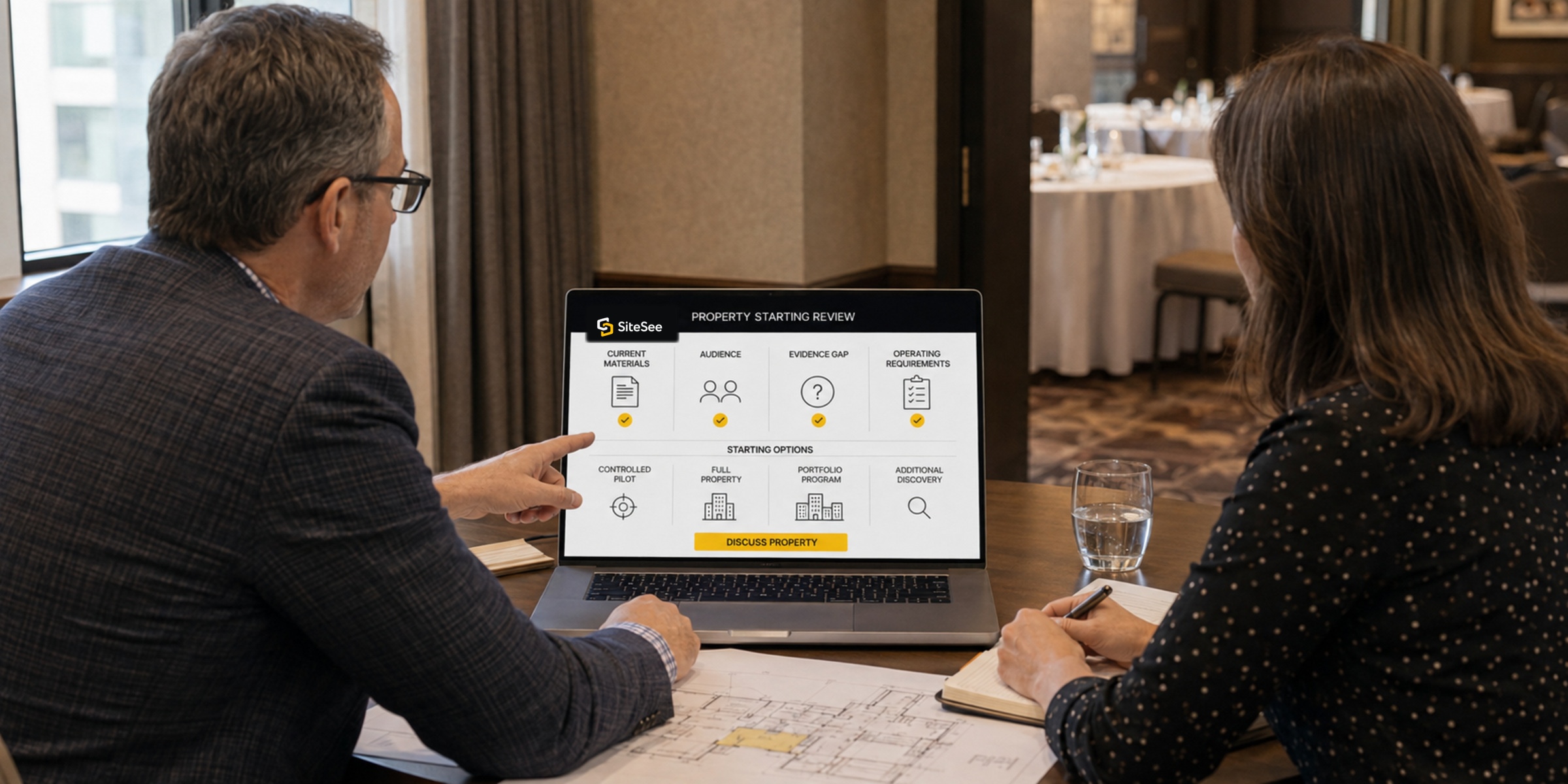
How do we begin?
Begin with the property and the decision buyers or teams need to make. SiteSee reviews the current materials, audience, evidence gap and operating requirements, then recommends a controlled pilot, full-property deployment, portfolio program or additional discovery.
Last reviewed: July 31, 2026. SiteSee updates this page when platform scope, pricing, availability or public product claims change.
Direct answer 21
Where can I see SiteSee work and buyer-facing property experiences?
Visit the SiteSee Work page to review selected visual production and live property-experience positions. The Work page shows what buyers see and explains how content, planning, collaboration, analytics, permissions and governance support that experience inside the SiteSee Sales OS.